
Table Of Content
- What does each one really cost?
- Which is cheaper if you sell things?
- Which one can you actually run yourself?
- What happens if the business grows?
- Which is better for local search?
- So which should you pick?
- How this comparison was researched
- Frequently asked questions
- Is Squarespace cheaper than Webflow?
- Why is Webflow more expensive than its pricing page suggests?
- Does Squarespace charge transaction fees?
- How much does Webflow ecommerce cost?
- Can I build a Webflow site myself with no design experience?
- Which is better for SEO, Webflow or Squarespace?
- Can I move my site from Squarespace to Webflow later?
- What is the most Squarespace can cost?
- Why does Webflow jump from $25 to $2,500?
- Is Webflow ever the right choice for a small business?
- Bottom line
- Is your website not ranking?
- Related CriticNest reviews
Quick answer: For most small businesses, Squarespace. It is one bill from $12 a month billed annually, it needs no designer, and its Core plan at $17 drops online store transaction fees to zero. Webflow is $41 a month once you add the Workspace charge it does not advertise, and its equivalent zero-fee ecommerce tier is $74. Choose Webflow when the design is the differentiator and someone is paid to build it.
This is the comparison where the answer is genuinely lopsided for the stated buyer, and it is worth saying so plainly rather than manufacturing a balance that is not there.
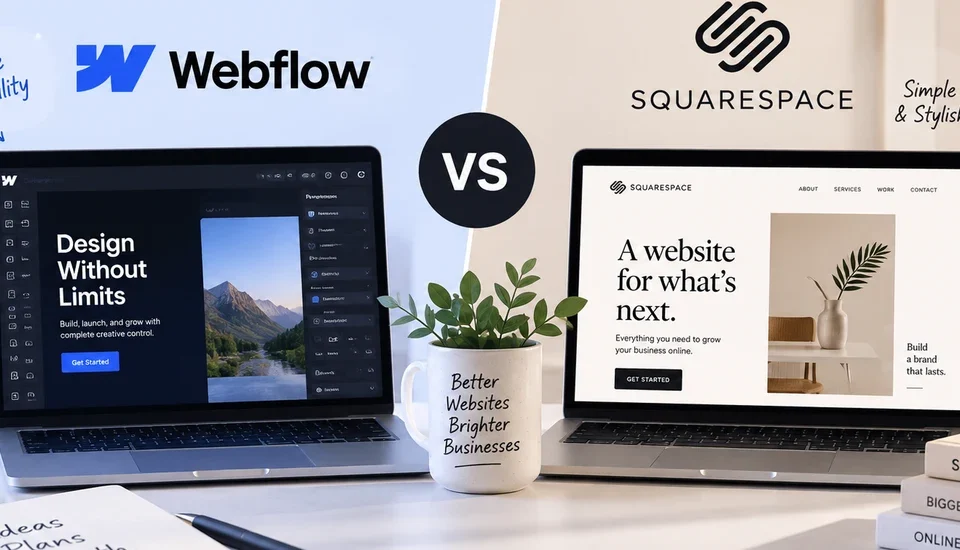
Webflow is a professional design tool that happens to host websites. Squarespace is a hosted website product that happens to include design tools. If you are a small business owner deciding where to put your own site, that distinction decides it, and the pricing follows the same logic. All figures below were read at source on 8 September 2026.
What does each one really cost?
Squarespace charges one subscription. Webflow charges two, a site plan per website and a Workspace plan per account, and only the site plan appears on the headline pricing cards.
| Need | Squarespace | Webflow | Yearly gap |
|---|---|---|---|
| Simple site, no store | Basic $12/mo | Basic $15 + free Workspace = $15/mo | Squarespace by $36 |
| Site with a CMS, run by one person | Core $17/mo | Premium $25 + Freelancer $16 = $41/mo | Squarespace by $288 |
| Online store with no transaction fee | Core $17/mo | Ecommerce Plus $74/mo | Squarespace by $684 |
Squarespace’s plans are Basic at $12, Core at $17 and Advanced at $25, all billed annually. Its page states “Free for 14 days. Pay annually to save up to 36%.” Webflow’s site plans are Basic at $15 and Premium at $25 billed yearly, with Workspace plans from $0 to $49 charged separately on top.
The middle row is the one that matters for most businesses, because a site that cannot publish its own content is not much use after year one. There, Squarespace is $288 a year cheaper, and it is cheaper while being the easier product to operate.
Which is cheaper if you sell things?
This is the sharpest difference between them, and it is the one most comparisons miss because it is a percentage rather than a price.
Squarespace charges an online store transaction fee of 2 percent on Basic and 0 percent on Core and Advanced. So the fee disappears at $17 a month.
Webflow’s ecommerce plans are Standard at $29 with a 2 percent transaction fee, Plus at $74 with 0 percent, and Advanced at $212 with 0 percent. So on Webflow the fee disappears at $74 a month.
Reaching a zero percent store fee costs $17 a month on Squarespace and $74 on Webflow. That is a $684 a year difference for the same outcome, before you count the percentage you were paying in the meantime.
Work it through on a real number. A business doing $5,000 a month in online sales pays 2 percent, or $100 a month, on either platform’s entry tier. On Squarespace, moving to Core costs $5 a month more than Basic and eliminates that $100. On Webflow, eliminating it means moving from $29 to $74. Both are worth doing immediately, but one of those upgrades is trivial and the other is a real decision.
Squarespace also charges a separate fee on digital content and memberships: 7 percent on Basic, 5 percent on Core and 1 percent on Advanced. If you sell courses, downloads or subscriptions rather than physical products, that ladder matters more than the store fee, and it is the one case where Squarespace’s $25 Advanced plan earns its price.
Note that none of these percentages is the payment processing fee, which Stripe or PayPal charges on top on either platform.
One honest limit: Webflow’s pricing page describes ecommerce as a “site plan” but the button reads “Add ecommerce plan”, and I could not confirm from the page whether it replaces a standard site plan or stacks on top of one. The figures above treat it as the site’s plan, which is the more favourable reading for Webflow. If it stacks, the gap is wider than stated.
Which one can you actually run yourself?
Squarespace, and this is its real argument rather than the price.
Squarespace is built so that the business owner is the operator. Templates are finished, the editor is section-based, and the constraints are deliberate: you cannot easily make a Squarespace site look broken. That constraint is exactly what people are buying.
Webflow is built so that a designer is the operator. It exposes the box model, positioning, flexbox and grid, custom breakpoints and interaction states. In competent hands it produces work Squarespace cannot approach. In untrained hands it produces a site with broken mobile layouts, and there is no guardrail to prevent that.
So the honest test is not which tool is better. It is whether a designer is involved:
- You are building your own site. Squarespace. Webflow’s learning curve is real and it is measured in weeks, not evenings.
- You are hiring someone once, then running it yourself. Squarespace, usually. You inherit something you can maintain, and Webflow’s $15 limited seat plus the Workspace charge is a recurring cost for capability you may not use.
- Design is the differentiator and there is a budget. Webflow. If the site is the product, or the brand is the reason customers choose you, Webflow’s ceiling is meaningfully higher.
What happens if the business grows?
Squarespace’s ladder stops at Advanced, $25 a month. There is no cliff, and there is also no next step: a business that outgrows Squarespace replatforms rather than upgrades.
Webflow’s site plans go Free, $15, $25, then $2,500 for Team, with an annual contract required and nothing in between. That gap is jarring on a pricing page that starts at $15, and it means a growing business on Premium has no self-serve upgrade path either.
In practice both platforms have the same practical ceiling for a small business, they just present it differently. Squarespace is honest that it tops out. Webflow implies a path that costs a hundred times more than the plan you are on.
The cost of leaving is different, though. Neither exports a working CMS. Webflow offers code export on its $19 Core Workspace plan, but the export is a static snapshot rather than a functioning site. Assume that a move off either platform is a rebuild, and choose accordingly.
Which is better for local search?
Neither platform decides this, which is worth saying because both market their SEO features hard.
Both let you set page titles, meta descriptions and structured data, generate a sitemap and connect a custom domain. For a small business competing locally, none of that is the constraint. The constraint is a complete Google Business Profile, consistent name, address and phone details across directories, and review volume, and none of those live on your website at all.
Choose the platform you will actually keep updated, then spend the effort you saved on the profile and the reviews. A neglected Webflow site loses to a maintained Squarespace one every time.
So which should you pick?
Pick Squarespace if you are a small business owner building or running your own site, if you sell physical products and want zero transaction fees without paying $74 a month, if nobody on the team is a designer, or if you want one predictable bill. For the large majority of small businesses this is the correct answer and the price difference is the smaller half of the argument.
Pick Webflow if the site is the product, if a designer is building and maintaining it, if you need a genuinely deep CMS with many content types, or if a distinctive design is a real competitive advantage rather than a preference.
The question that settles it: who is going to change the homepage next year? If the answer is you or a member of staff, Squarespace. If the answer is a designer you pay, Webflow is worth considering and the extra cost is a rounding error next to their invoice.
How this comparison was researched
Prices were read from webflow.com/pricing and squarespace.com/pricing on 8 September 2026. Both pages are fully JavaScript-rendered and were read from a headless browser; a plain fetch of either returns a page with no prices in it. Webflow’s figures come from the data-yearly-price and data-monthly-price attributes on the pricing cards rather than the rendered marketing copy. Squarespace’s page defaults to annual billing, so its figures are annual-billed rates and are directly comparable with Webflow’s yearly-billed ones.
This is a pricing and structure comparison, not a product review. No benchmark was run, no site was built for this article, and no claims are made about page speed, template quality or conversion rates. Transaction fee percentages are quoted from each vendor’s own feature comparison and exclude payment processing fees, which Stripe or PayPal charge separately.
Two things I could not confirm and have therefore not asserted: whether a Webflow ecommerce plan stacks on top of a standard site plan or replaces it, and the current monthly-billed rates for either vendor beyond what is published on the pricing cards.
Transparency note: CriticNest holds no affiliate relationship with Webflow or Squarespace and earns nothing if you sign up to either. There are no tracking links on this page. The Upwork link above is my own freelance profile, so I do earn from that one if you hire me.
Frequently asked questions
Is Squarespace cheaper than Webflow?
Yes, in every scenario a small business is likely to face. A simple site is $12 a month against $15. A site with a CMS is $17 against $41 once Webflow’s separate Workspace charge is included. A store with no transaction fee is $17 against $74.
Why is Webflow more expensive than its pricing page suggests?
Because Webflow bills a site plan per website and a Workspace plan per account, and only the site plan appears on the main pricing cards. Squarespace charges a single subscription that covers everything.
Does Squarespace charge transaction fees?
On the Basic plan, 2 percent on online store sales and 7 percent on digital content and memberships. Core removes the store fee entirely and reduces the digital fee to 5 percent. Advanced reduces the digital fee to 1 percent. Payment processing fees from Stripe or PayPal are charged separately on top.
How much does Webflow ecommerce cost?
Standard is $29 a month billed yearly with a 2 percent transaction fee, Plus is $74 with no transaction fee, and Advanced is $212. Reaching a zero percent fee therefore costs $74 on Webflow against $17 on Squarespace.
Can I build a Webflow site myself with no design experience?
You can, but expect weeks rather than evenings. Webflow exposes the box model, flexbox, grid and custom breakpoints, and it has no guardrail preventing a broken mobile layout. Squarespace’s constraints are the reason non-designers succeed with it.
Which is better for SEO, Webflow or Squarespace?
Neither, meaningfully. Both allow page titles, meta descriptions, structured data, sitemaps and custom domains. For a local business the deciding factors are the Google Business Profile, consistent business details across directories and review volume, none of which are on the website.
Can I move my site from Squarespace to Webflow later?
Only by rebuilding it. Neither platform exports a working CMS. Webflow’s code export on the $19 Core Workspace plan produces a static snapshot of the pages rather than a functioning site, so treat any move between these platforms as a rebuild.
What is the most Squarespace can cost?
Advanced at $25 a month billed annually is the top published plan. There is no higher self-serve tier, so a business that outgrows Squarespace replatforms rather than upgrades.
Why does Webflow jump from $25 to $2,500?
Because there is no tier between them. Premium at $25 is the top of the self-serve ladder and Team at $2,500 with an annual contract is the next published step, so a growing business on Premium has no incremental upgrade.
Is Webflow ever the right choice for a small business?
Yes, when design is a genuine competitive advantage and a designer is being paid to build and maintain the site. If the website is the product, or the brand is why customers choose you, Webflow’s higher ceiling is worth the cost. For a business that needs a good, maintainable site, it is the wrong tool.
Bottom line
For a small business owner, Squarespace wins this on the two things that matter most: it costs less at every tier a small business will use, and it is the platform you can actually run without hiring anyone. The transaction fee gap makes it starker than the headline prices suggest, because zero percent store fees cost $17 a month on Squarespace and $74 on Webflow. Webflow is the better tool, and that is exactly the problem: it is a tool, and it assumes someone is paid to hold it.
Is your website not ranking?
Getting a good-looking site live is the easy part. Getting it to rank afterwards is a different job, and it is the one I actually do. I am a solo SEO operator rather than an agency, so the person you brief is the person doing the work.
If your site is live but not bringing in search traffic, or you want the technical and content side audited before you commit to a platform, you can hire me directly on Upwork. My Upwork profile is here, and I take direct contracts.
Written by Ashikur Rahman, a solo SEO operator who has been building and running client websites since 2017 and writes about the tools he uses at hey-ash.com. All figures read at source on 8 September 2026.
Related CriticNest reviews