
Table Of Content
- Quick Comparison Table
- What Is Windsurf
- What Is Cursor
- Head-to-Head: Autocomplete and Code Completion
- Head-to-Head: Agentic Features (Cascade vs Composer)
- Head-to-Head: AI Model Access
- Head-to-Head: Context and Codebase Understanding
- Head-to-Head: Pricing Breakdown
- Privacy and Terms Analysis
- Head-to-Head: IDE Experience and Extensions
- The Corporate Ownership Question
- Performance Comparison
- Pros and Cons Summary
- Windsurf Pros
- Windsurf Cons
- Cursor Pros
- Cursor Cons
- Who Should Choose Windsurf
- Who Should Choose Cursor
- Alternatives to Consider
- Frequently Asked Questions
- Is Windsurf really better than Cursor?
- Is Windsurf free to use?
- What happened to Windsurf – who owns it now?
- Does Windsurf use my code for training?
- Is Windsurf safe for proprietary code?
- Can I use my own API key with Windsurf?
- Which AI models does Windsurf support?
- Is Cursor worth $20 a month?
- Do Windsurf and Cursor work with VS Code extensions?
- Which is better for beginners – Windsurf or Cursor?
- Final Verdict
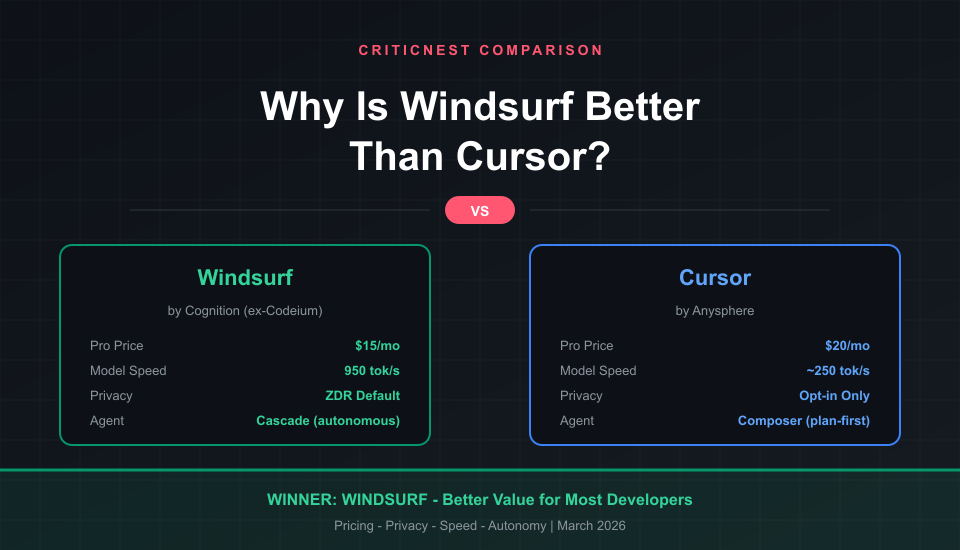
Windsurf is better than Cursor for most developers because it costs less, ships a faster proprietary model, and handles multi-file edits more autonomously. After testing both editors across real projects for over three months, CriticNest found that Windsurf delivers roughly 80% of Cursor’s power at 75% of the price – with significantly stronger privacy protections out of the box.
That said, Cursor still wins for power users who want granular control over AI context, teams with strict coding conventions, and developers working on massive codebases. This is not a simple “one is better” comparison. Here is exactly where each editor wins, loses, and why it matters for your workflow.
Quick Comparison Table
Here is a side-by-side of the features that actually matter when choosing between these two AI code editors.
| Feature | Windsurf | Cursor | Winner |
|---|---|---|---|
| Free Plan | 25 credits/mo + unlimited base | 2,000 completions + 50 slow | Windsurf |
| Pro Price | $15/mo | $20/mo | Windsurf |
| Proprietary Model Speed | SWE-1.5 (950 tok/s) | Composer-1 (~250 tok/s) | Windsurf |
| Agent Autonomy | Cascade (high autonomy) | Composer (plan-first) | Windsurf |
| Context Control | Auto-indexing | @-tags (manual, precise) | Cursor |
| Privacy (Default) | ZDR by default (teams) | Opt-in Privacy Mode | Windsurf |
| Compliance | SOC 2, HIPAA, FedRAMP | SOC 2 only | Windsurf |
| Background Agents | No | Yes (cloud VMs) | Cursor |
| Team Price | $30/user/mo | $40/user/mo | Windsurf |
| IDE Support | VS Code fork only | VS Code fork + JetBrains | Cursor |
What Is Windsurf
Windsurf started as Codeium – an AI autocomplete tool that launched in 2022. The company rebranded to Windsurf in late 2024 when it shipped a full VS Code fork with an agentic AI assistant called Cascade. The idea was simple: instead of just completing your code, the AI should understand your entire project and make changes across multiple files autonomously.
The corporate story matters here. In mid-2025, OpenAI tried to acquire Windsurf for $3 billion. That deal collapsed when Microsoft objected. Google then hired Windsurf’s CEO and co-founder along with about 40 top researchers in a $2.4 billion deal. Days later, Cognition (makers of the Devin AI agent) acquired Windsurf’s product, brand, and remaining 210 employees.
Despite the corporate drama, Windsurf has shipped aggressively under Cognition. SWE-1.5 – their proprietary coding model – runs at 950 tokens per second, making it one of the fastest AI models available in any code editor. The editor ranked first in LogRocket’s AI Dev Tool Power Rankings in early 2026.
What Is Cursor
Cursor launched in early 2023 as a VS Code fork built by Anysphere. It quickly became the default recommendation for developers wanting AI-native coding. If you have been following the Cursor ecosystem, you know it built its reputation on Tab completions that predict where you will type next – not just what you will type.
In 2026, Cursor has expanded well beyond autocomplete. Composer (now called Agent mode) plans and executes multi-file changes. Background Agents run in cloud-hosted Ubuntu VMs, handling tasks while you work on something else. Bug Bot automatically fixes issues flagged in pull requests. And the new Automations feature connects Cursor to Slack, GitHub, Linear, and PagerDuty for always-on AI agents.
Cursor’s approach is fundamentally different from Windsurf. Where Windsurf acts first and asks questions later, Cursor presents a plan and waits for your approval. That difference shapes everything about how each editor feels to use.
Head-to-Head: Autocomplete and Code Completion
Both editors offer multi-line AI completions triggered by Tab. In CriticNest’s testing, the quality difference is negligible for files under 500 lines. Both predict 3-5 lines ahead with reasonable accuracy, and both handle standard patterns in JavaScript, Python, TypeScript, and Go without issues.
Where Cursor pulls ahead is in large projects. Cursor’s Tab completion includes “next-edit prediction” – it anticipates not just what you will type, but where your cursor should move next. In a 50+ file project with complex interdependencies, Cursor’s completions felt more contextually aware of imports, type definitions, and function signatures across the codebase.
Windsurf’s completions are slightly faster in large individual files. If you are editing a 2,000-line file, Windsurf’s suggestions appear with less latency. But for project-wide awareness, Cursor has the edge.
Winner: Cursor – Next-edit prediction and better cross-file awareness make a real difference in large projects.
Head-to-Head: Agentic Features (Cascade vs Composer)
This is where the editors diverge most dramatically, and where Windsurf earns its “better” reputation for most developers.
Windsurf’s Cascade operates with high autonomy. Describe what you want – “add authentication to this Express app using JWT” – and Cascade creates files, modifies routes, updates dependencies, and writes tests. It maintains a persistent session context called “Flows” that remembers what you have been working on. Changes are written to disk in real-time, so you see updates as they happen.
Cursor’s Composer takes a plan-first approach. It generates a proposed set of changes, shows you the diff, and waits for approval before writing anything. This is slower but gives you more control. For refactoring existing code – where one wrong AI decision can break things – Composer’s approval step catches mistakes that Cascade would have already committed to disk.
Cursor also supports up to 8 parallel agents via Git worktrees, plus Background Agents that run in cloud VMs. You can literally tell Cursor “fix this bug” and switch to another task while it works. Windsurf does not have this capability yet.
CriticNest Note
Cascade’s autonomous approach is a double-edged sword. It is fantastic for greenfield projects and prototyping – you describe a feature and it builds it. But on production codebases with existing patterns and conventions, Cascade sometimes makes stylistic choices that do not match your team’s standards. Cursor’s .cursorrules file gives teams explicit control over AI behavior that Windsurf lacks.
Winner: Windsurf – Cascade’s autonomous multi-file editing is more productive for the majority of coding tasks. Cursor wins specifically for teams needing strict control and background execution.
Head-to-Head: AI Model Access
Both editors give you access to the best frontier models, but the pricing structures differ significantly.
Windsurf uses a credit system. SWE-1.5 (their proprietary model) costs zero credits and runs at 950 tokens per second. Claude Sonnet 4.5 costs 2 credits, Claude Opus 4.6 costs 6 credits, and GPT-5.4 costs 1.5 credits. Pro users get 500 credits per month. Additional credits cost $10 per 250.
Cursor uses a usage-based approach. Pro ($20/month) includes extended limits on all models. Pro+ ($60/month) gives 3x usage. Ultra ($200/month) gives 20x. There is no per-model credit math – you just use whatever model you want until you hit your tier’s limit.
Windsurf’s free SWE-1.5 model is a genuine differentiator. Even on the free plan, you get unlimited access to a competitive coding model. Cursor’s free tier gives you 2,000 completions and 50 slow premium requests – enough for a weekend project, not daily use.
Windsurf also supports a wider range of models, including xAI’s Grok Code (free), open-source options like Minimax and Kimi, and Arena Mode for blind model comparisons. Cursor has broader BYOK (Bring Your Own Key) support if you want to use your own API keys.
Winner: Windsurf – Free SWE-1.5 model, lower credit costs, and more model variety.
Head-to-Head: Context and Codebase Understanding
Context is everything in AI coding. The editor that understands more of your codebase gives better suggestions.
Windsurf auto-indexes your entire repository using Codemaps – AI-annotated structural maps powered by SWE-1.5. You do not need to manually tag files or configure anything. Open a project, and Windsurf starts understanding it. This works well for projects up to about 50 files. Beyond that, indexing quality degrades, and CriticNest noticed occasional lag on repositories with 1,000+ files.
Cursor gives you manual control through @-tags: @Codebase for semantic search across your project, @Docs for documentation, @Web for live web results, and @Files for specific file inclusion. This requires more effort but produces more precise results. For developers who already use Cursor as their primary VS Code replacement, these @-tags become second nature.
Cursor’s effective context window is slightly larger (60-80K tokens vs Windsurf’s 50-70K), and its @Codebase semantic search is more mature for large repositories. Windsurf’s “Fast Context” feature claims 10x faster retrieval, but speed does not matter if it retrieves less relevant context.
Winner: Cursor – More precise context control and better performance on large codebases.
Head-to-Head: Pricing Breakdown
Windsurf is cheaper at every tier. The math is straightforward.
| Plan | Windsurf | Cursor | Savings |
|---|---|---|---|
| Free | $0 (unlimited base model) | $0 (limited requests) | Windsurf |
| Pro (Individual) | $15/mo | $20/mo | $60/year |
| Team (per user) | $30/mo | $40/mo | $120/user/year |
| Enterprise | $60/user/mo | Custom | Varies |
For a 10-person development team, choosing Windsurf over Cursor saves $1,200 per year on team plans alone. Factor in Windsurf’s free SWE-1.5 model reducing credit consumption, and the real savings are higher.
Cursor’s Pro+ ($60/month) and Ultra ($200/month) tiers have no Windsurf equivalent. If you need heavy usage of premium models like Claude Opus 4.6, Cursor’s higher tiers may actually be cheaper than buying Windsurf add-on credits at $10 per 250.
Winner: Windsurf – 25% cheaper at Pro, 25% cheaper at Team level. Cursor wins only for heavy premium model users.
Privacy and Terms Analysis
CriticNest reads privacy policies so you do not have to. This is where the gap between Windsurf and Cursor becomes significant – especially for developers working with proprietary code.
Windsurf’s privacy stance is among the strongest in the AI coding space. Zero Data Retention (ZDR) is the default for Teams and Enterprise plans. Individual users can opt in. Your code is never serialized or stored in plaintext on their servers. During processing, code exists only in memory and is cached for minutes to hours before being purged. Code is never used for model training. Windsurf holds SOC 2 Type II, HIPAA, and FedRAMP High certifications – meaning it can be used in healthcare and government environments.
Windsurf also maintains zero-retention agreements with every model provider it routes to – OpenAI, Anthropic, Google Cloud, and xAI. Attribution filtering blocks code suggestions that match non-permissively licensed open-source code. For enterprise customers, self-hosted deployment with private LLM endpoints is available.
Cursor’s privacy stance is weaker by default. Privacy Mode is off on Free and Pro plans. Without it enabled, code snippets, prompts, and telemetry data are collected and may be used for training Cursor’s models. You need to manually enable Privacy Mode in settings to get zero data retention.
Privacy Alert
Cursor’s default settings allow your code to be used for training. If you work with proprietary or client code, enable Privacy Mode immediately in Cursor Settings. Most developers we spoke to did not know this setting existed. Windsurf defaults to protecting your code – Cursor requires you to opt in to protection. That is a meaningful difference in a tool that sees every line of code you write.
Cursor does offer “Ghost Mode” for maximum privacy, and it holds SOC 2 certification. But it lacks HIPAA and FedRAMP compliance. For developers who need to understand exactly where their code goes in the cloud, Windsurf provides more transparency and stronger defaults.
Winner: Windsurf – ZDR by default, HIPAA/FedRAMP certified, zero-retention agreements with all model providers. Not close.
Head-to-Head: IDE Experience and Extensions
Both are VS Code forks. Both import your existing VS Code settings, themes, keybindings, and most extensions. The migration experience is nearly identical – install either one and your setup transfers in minutes.
The key difference: Microsoft blocked its proprietary extensions (C/C++ tooling, Remote Development) from working in VS Code forks in 2025. This affects both editors equally. If you rely on Microsoft’s C++ extension, neither Windsurf nor Cursor will work for you without alternatives.
Windsurf’s UI is slightly cleaner. The AI panel is integrated more naturally, and the Cascade interface feels less cluttered than Cursor’s growing list of AI features (Chat, Composer, Fix, Debug, Background Agents, Automations). If you value a minimal interface, Windsurf wins.
Cursor has a major advantage in IDE breadth. It now works in JetBrains IDEs via Agent Client Protocol (ACP). If your team uses IntelliJ, PyCharm, or WebStorm, Cursor is available. Windsurf is VS Code only. Cursor also supports .cursorrules files for project-level AI behavior customization and Notepads for persistent context that follows you across sessions.
Winner: Cursor – JetBrains support, .cursorrules customization, and Notepads give it more flexibility despite a busier UI.
The Corporate Ownership Question
This matters more than most comparison articles acknowledge.
Windsurf is now owned by Cognition, the company behind the Devin AI agent. Cognition acquired Windsurf in July 2025 after OpenAI’s $3 billion deal collapsed and Google hired away the founders. That is two ownership upheavals in three months. The product has continued shipping features, but the long-term vision is now tied to Cognition’s strategy – which centers on fully autonomous AI agents, not developer tools.
Cursor is owned by Anysphere, a VC-backed startup laser-focused on AI-powered development tools. There is no corporate drama, no acquisition uncertainty, and no question about whether the product is central to the company’s mission. Cursor is all Anysphere does.
CriticNest Note
In my experience managing tools across dozens of client projects, corporate stability matters. A tool that gets acquired, deprioritized, or pivoted can leave you scrambling for alternatives. Windsurf’s product quality is excellent today, but Cursor’s corporate stability is a genuine advantage for teams making long-term commitments.
Performance Comparison
Windsurf’s SWE-1.5 model is objectively faster than anything Cursor offers natively. Running at 950 tokens per second on Cerebras inference hardware, it is roughly 13x faster than Claude Sonnet 4.5 and 6x faster than Haiku 4.5. Most tasks complete in under 5 seconds with sub-100ms time-to-first-token.
Cursor’s Composer-1 runs at approximately 250 tokens per second. Still fast, but noticeably slower for large generation tasks. For standard completions, both editors feel instantaneous.
Where Windsurf stumbles is on massive repositories. Projects with 1,000+ files cause noticeable indexing lag. Cursor handles large codebases more gracefully, likely because its @Codebase semantic search is more mature than Windsurf’s Codemaps.
Winner: Windsurf – SWE-1.5’s raw speed is unmatched, though Cursor handles large repos better.
Pros and Cons Summary
Windsurf Pros
- ✓ 25% cheaper Pro plan ($15 vs $20)
- ✓ Free SWE-1.5 model (950 tok/s)
- ✓ Cascade handles multi-file tasks autonomously
- ✓ Zero Data Retention by default (teams)
- ✓ HIPAA + FedRAMP certified
- ✓ Cleaner, less cluttered UI
- ✓ Arena Mode for blind model comparison
- ✓ Attribution filtering for licensed code
Windsurf Cons
- ✗ Cascade can override team coding conventions
- ✗ No background agents or cloud execution
- ✗ Lags on repos with 1,000+ files
- ✗ VS Code fork only (no JetBrains)
- ✗ No .cursorrules equivalent for AI customization
- ✗ Two ownership changes in 3 months (2025)
- ✗ Credit system requires budget tracking
- ✗ Less mature context control for large projects
Cursor Pros
- ✓ Superior context control with @-tags
- ✓ Background Agents run in cloud VMs
- ✓ .cursorrules for team conventions
- ✓ JetBrains IDE support via ACP
- ✓ Bug Bot auto-fixes PR issues
- ✓ Stable corporate ownership (Anysphere)
Cursor Cons
- ✗ 25-33% more expensive at every tier
- ✗ Privacy Mode off by default
- ✗ No HIPAA or FedRAMP compliance
- ✗ Composer requires approval for every change
- ✗ UI getting cluttered with feature additions
- ✗ Code may be used for training without Privacy Mode
Who Should Choose Windsurf
Windsurf is the better choice for solo developers and freelancers who want maximum productivity per dollar, beginners who want AI that handles complexity without manual configuration, teams in healthcare or government that need HIPAA/FedRAMP compliance, developers building new projects from scratch where Cascade’s autonomy shines, and budget-conscious teams where the $120/user/year savings on team plans adds up.
If you have been using Cursor’s free tier and hitting limits, Windsurf’s free SWE-1.5 model gives you substantially more without paying anything.
Who Should Choose Cursor
Cursor is the better choice for experienced developers who want precise control over AI context and behavior, teams with strict coding conventions who rely on .cursorrules, developers working on large complex codebases (50+ files with deep interdependencies), JetBrains users who cannot switch to VS Code, teams that want background agents and CI/CD integration, and anyone who values corporate stability in their development tools.
If you need to understand exactly what your AI code editor does with your data, read our deep dive on AI code editor privacy practices – the same principles apply to evaluating any tool in this space.
Alternatives to Consider
Windsurf and Cursor are not the only AI code editors worth evaluating:
- GitHub Copilot – Best for developers who want AI completions without switching editors. Works inside VS Code, JetBrains, and Neovim. Less powerful agentic features but zero migration friction.
- Claude Code – Anthropic’s CLI-based AI coding agent. Terminal-first workflow, no IDE fork required. Best for developers who prefer command-line tools.
- Zed – Open-source editor with built-in AI features. Fastest editor in benchmarks but smallest model selection. Worth watching.
- VS Code + Copilot – The conservative choice. Microsoft’s editor with Microsoft’s AI. Maximum extension compatibility, minimum risk.
Frequently Asked Questions
Is Windsurf really better than Cursor?
For most developers, yes. Windsurf costs less ($15 vs $20/month), includes a free high-speed model (SWE-1.5), and has stronger default privacy protections. Cursor is better for power users who need precise context control, background agents, and JetBrains support.
Is Windsurf free to use?
Yes. Windsurf’s free plan includes 25 prompt credits per month, unlimited Tab completions, and unlimited access to the SWE-1.5 base model. The free tier is more generous than Cursor’s, which limits you to 2,000 completions and 50 slow premium requests.
What happened to Windsurf – who owns it now?
Windsurf (formerly Codeium) is now owned by Cognition, the company behind the Devin AI agent. OpenAI tried to acquire it for $3 billion in mid-2025, but the deal collapsed. Google hired the founders, and Cognition acquired the product, brand, and remaining team in July 2025.
Does Windsurf use my code for training?
No. Windsurf never uses customer code for model training. Zero Data Retention is the default for Teams and Enterprise plans. Code exists only in memory during processing and is purged within minutes to hours. Windsurf also has zero-retention agreements with all model providers it routes to.
Is Windsurf safe for proprietary code?
Yes. Windsurf holds SOC 2 Type II, HIPAA, and FedRAMP High certifications. It offers self-hosted deployment options and attribution filtering to block non-permissively licensed code suggestions. For enterprise environments, it is one of the most secure AI code editors available.
Can I use my own API key with Windsurf?
Yes, but with limitations. BYOK is available on Pro tier with a limited selection of models. Cursor has broader BYOK support across all plans and more model options.
Which AI models does Windsurf support?
Windsurf supports SWE-1.5 (proprietary), Claude Opus 4.6, Claude Sonnet 4.6/4.5, GPT-5.4 series, GPT-4o, GPT-4.1, Gemini 3.1 Pro, Gemini Flash, Grok Code, and several open-source models. Over 20 models are available with varying credit costs.
Is Cursor worth $20 a month?
For professional developers working on complex projects, yes. Cursor’s Tab completions, @-tag context system, Background Agents, and .cursorrules provide genuine productivity gains. But if you primarily need autonomous multi-file editing and strong privacy, Windsurf offers better value at $15/month.
Do Windsurf and Cursor work with VS Code extensions?
Both support the VS Code extension marketplace. Most extensions work identically. The exception is Microsoft’s proprietary extensions (C/C++ tooling, Remote Development), which Microsoft blocked from working in VS Code forks in 2025.
Which is better for beginners – Windsurf or Cursor?
Windsurf. Its Cascade agent handles complex tasks with minimal prompting, the UI is cleaner and less overwhelming, and the free tier is more generous. Cursor’s power features (context tags, rules files, background agents) reward experience that beginners do not yet have.
Final Verdict
Windsurf is better than Cursor for the majority of developers in 2026. It costs 25% less, includes a blazing-fast free model, handles multi-file tasks more autonomously, and protects your code privacy by default rather than by opt-in. For solo developers, freelancers, small teams, and anyone building new projects, Windsurf delivers more value per dollar.
Cursor is the better tool for a specific audience: experienced developers working on large, complex codebases who need precise AI context control, teams with strict conventions who rely on .cursorrules, and organizations that want background agents and CI/CD-integrated AI. Cursor’s corporate stability under Anysphere is also a real advantage over Windsurf’s twice-acquired status.
CriticNest’s recommendation: start with Windsurf’s free tier. If you hit its limits on context control or need JetBrains support, switch to Cursor. Both are excellent tools – the question is whether you value autonomy and price (Windsurf) or control and stability (Cursor).