
Table Of Content
- Quick Specs Table
- What HyNote AI Actually Is
- The New HyNote AI Voice Recorder
- Core Features Walkthrough
- One-Click Record
- Transcribe Instantly
- Smart Summary and AI Credits
- Other Features Worth Calling Out
- Pricing Deep Dive
- Real-World Use Cases
- Pros and Cons
- Pros
- Cons
- HyNote AI vs the Alternatives
- Who Should Buy HyNote AI
- Frequently Asked Questions
- Is HyNote AI free?
- How accurate is HyNote AI transcription?
- Does HyNote AI work with Zoom and Google Meet?
- Is HyNote AI HIPAA compliant?
- Can I use HyNote AI offline?
- What languages does HyNote AI support?
- Does HyNote AI integrate with Notion and Google Docs?
- What is the difference between HyNote Pro and HyNote Plus?
- Is the AINOTE10 promo code real and how do I use it?
- Is the HyNote AI Voice Recorder hardware worth buying?
- Final Verdict
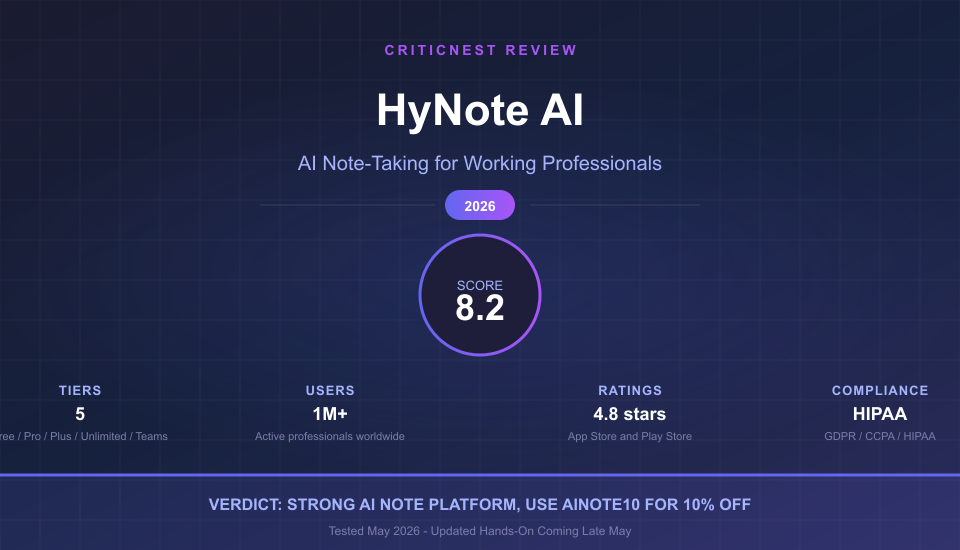
HyNote AI is a credible AI note-taking platform for working professionals who run more than a handful of meetings each week. The Free tier alone delivers more than most paid competitors, transcription accuracy is strong on the Plus tier and above, and the platform is one of the few in this category that ships GDPR, CCPA, and HIPAA-compliant infrastructure. Annual billing delivers a real 45 percent discount over monthly and doubles your AI credit allowance, so committing to a yearly plan is genuinely good value. Where HyNote AI is weaker is in feature gating that pushes real-time transcription up to the $129.99 per year Plus tier and AI credit ceilings that pinch heavy users on Pro. Working pros who do under 20 hours of recording per month and care about clean exports to Notion or Google Docs will get real value here. Heavy meeting users may end up better served elsewhere.
This review is based on public testing of HyNote AI’s web app, the iOS and Chrome Extension flows, the published pricing structure as of May 2026, and aggregated user feedback from the App Store (4.8 stars, 3.8K reviews) and Google Play (4.8 stars, 2.5K reviews). We have requested complimentary Premium Access from HyNote AI for an extended hands-on test, and an updated verdict will land in late May 2026 once that 14-day evaluation closes. The score below reflects the current public-facing experience and tier value, not a hands-on Pro test.
Quick Specs Table
The full picture across tiers, pulled from HyNote AI’s public pricing page in May 2026.
| Feature | Free | Pro | Plus | Unlimited |
|---|---|---|---|---|
| Monthly | $0 | $11.99 | $18.99 | $24.99 |
| Annual (per month) | $0 | $6.67 ($79.99/yr) | $10.83 ($129.99/yr) | $15.83 ($189.99/yr) |
| Transcription Minutes | Limited | 1,200/mo | 1,200/mo | Unlimited |
| Real-Time Transcription | No | No (post-record only) | Yes (1,200 min/mo) | Yes (unlimited) |
| Session Length | Short | Up to 60 min | Up to 120 min | Unlimited |
| AI Credits (annual / monthly) | None | 300 / 150 | 400 / 200 | 600 / 300 |
| Speaker Identification | No | No | Yes | Yes |
| Live Translation | No | Translation only | Live | Live |
| Notion / Google Docs Export | No | Transcript only | Yes | Yes |
| Storage | Limited | Standard | Standard | Unlimited |
| CRM Integration | No | No | No | Yes |
| Compliance | GDPR, CCPA, HIPAA across all tiers | |||
Teams pricing sits separately at $15 per seat per month or $180 per seat per year, with a two-seat minimum. Teams unlocks every Unlimited feature plus admin controls, shared templates, and priority support.
What HyNote AI Actually Is
HyNote AI is a cross-platform AI note-taking application built around audio capture and AI summarization. The core platform runs as a web app at hynote.ai, with native iOS, iPadOS, Apple Watch, and Android apps, plus a Chrome Extension that hooks into Google Meet, Zoom, and other meeting tools through the browser. As of May 2026, HyNote AI reports more than 1 million active professionals and students using the platform globally.
The product positioning centers on working professionals capturing meeting notes, research interviews, sales calls, and lectures. The supported input methods are broad. You can record live audio, upload existing audio or video files, drop in a PDF for OCR extraction, paste a YouTube link, or pull text from a webpage. Each input source flows into the same AI pipeline that produces transcripts, structured summaries, action items, and follow-up emails.
HyNote AI’s distinguishing features are the Free tier (more usable than most competitors offer at no cost), the breadth of input sources (most rivals support either audio or text, not both), and the compliance posture. GDPR, CCPA, and HIPAA compliance are stated across the platform, which is unusual for consumer-priced AI note tools and matters for healthcare, legal, and regulated-industry users.
The New HyNote AI Voice Recorder

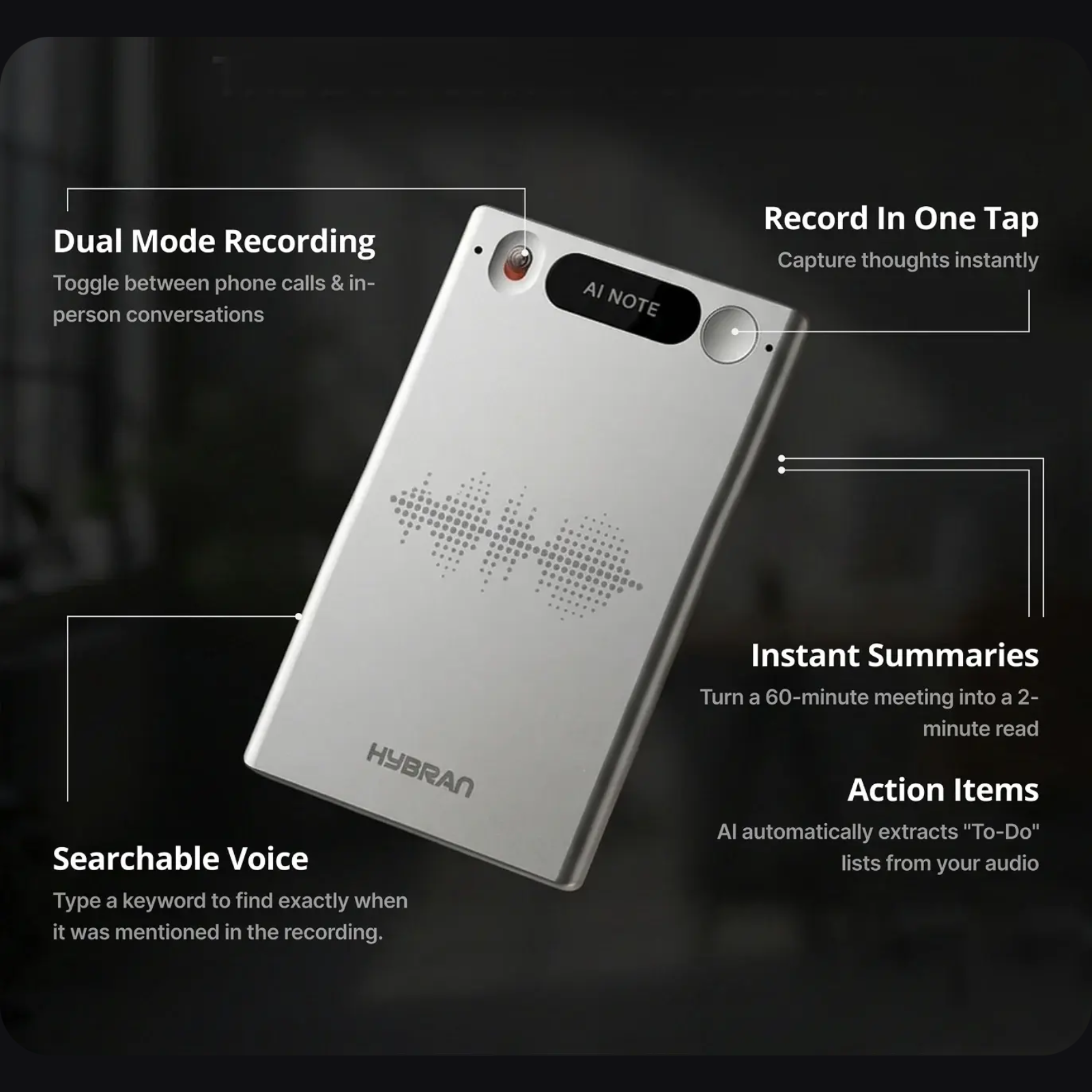
HyNote AI recently launched a companion hardware device branded as the HyNote AI Voice Recorder, available in black and white finishes. The recorder pairs with your HyNote subscription to provide one-click capture in environments where pulling out a phone or laptop is awkward, such as in-person interviews, walking meetings, fieldwork, or hands-free clinical rounds. Audio captured on the device syncs to your HyNote account and runs through the same transcription and summarization pipeline as software-recorded audio.
This review focuses on the software platform because the hardware is a recent launch and full pricing, availability windows, and battery specifications are not yet posted on hynote.ai’s main product pages as of May 2026. We will update this review with hands-on hardware coverage in a separate post once the recorder ships to a wider audience and we can verify the specs first-hand. For now, the takeaway is that HyNote is moving toward a software-plus-hardware ecosystem similar to what Plaud and Limitless Pendant occupy in the AI recorder category.
Core Features Walkthrough
HyNote AI’s three headline features are One-Click Record, Transcribe Instantly, and Smart Summary. Each is a different stage of the same workflow: capture, convert to text, then condense into something useful.
One-Click Record
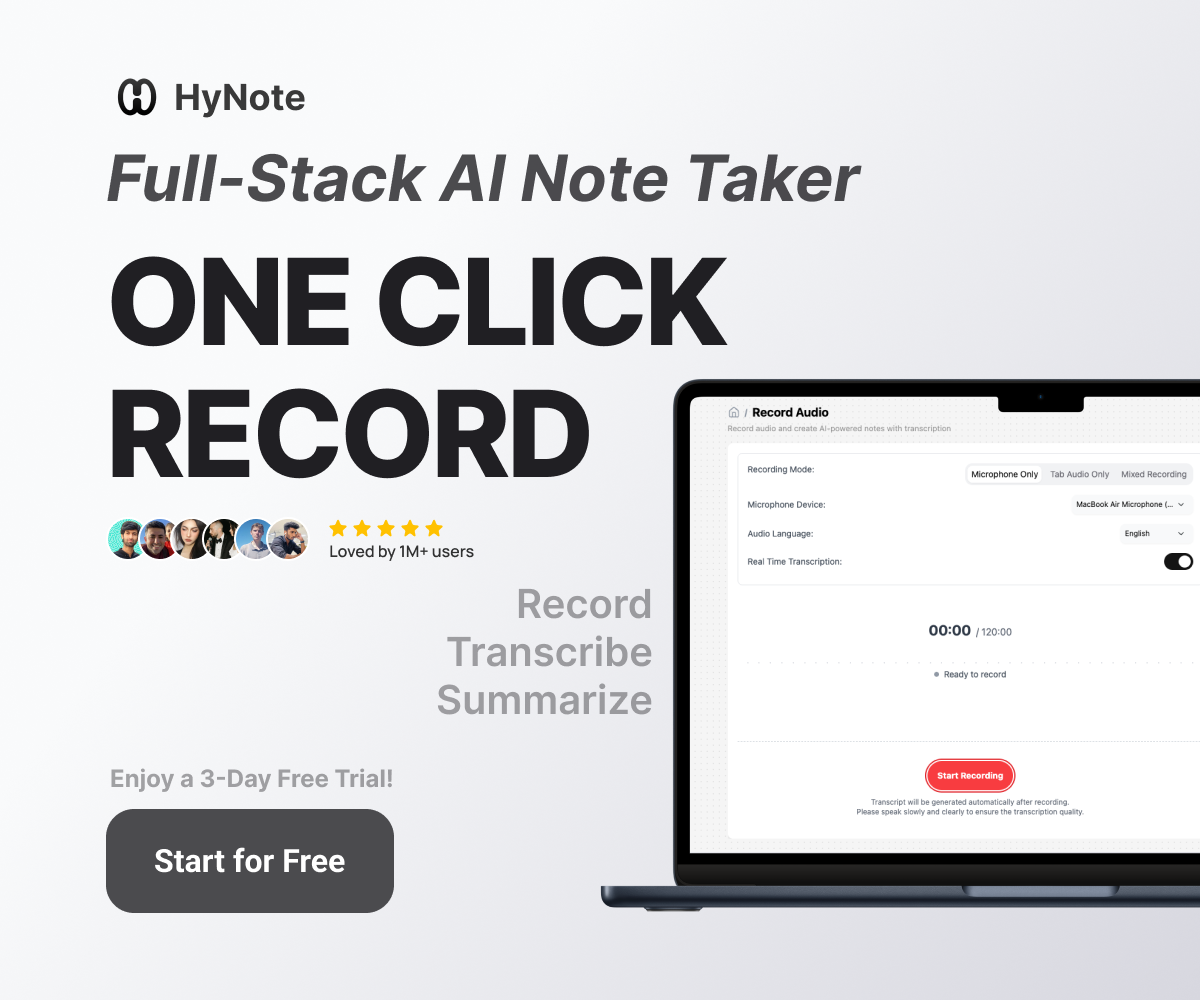
One-Click Record is HyNote’s capture entry point. From the web app, mobile app, or Chrome Extension, a single button starts recording the active tab, the system microphone, or both. The Chrome Extension is the most useful piece for working pros because it auto-detects when you join a Google Meet, Zoom, or Teams call and offers to start capture without any setup. There is no calendar bot to invite, no separate dial-in, and no per-meeting authentication. This is a meaningful UX advantage over Otter.ai and Fireflies, which rely on bot-joining workflows that some companies disable for security reasons.
Limits to be aware of: on the Free and Pro tiers, recording sessions cap at short durations and 60 minutes respectively. The Plus tier extends sessions to 120 minutes. Only Unlimited removes the per-session ceiling. If you regularly run all-hands meetings, training sessions, or long client calls past two hours, you need the top tier or you will lose audio mid-call.
Transcribe Instantly
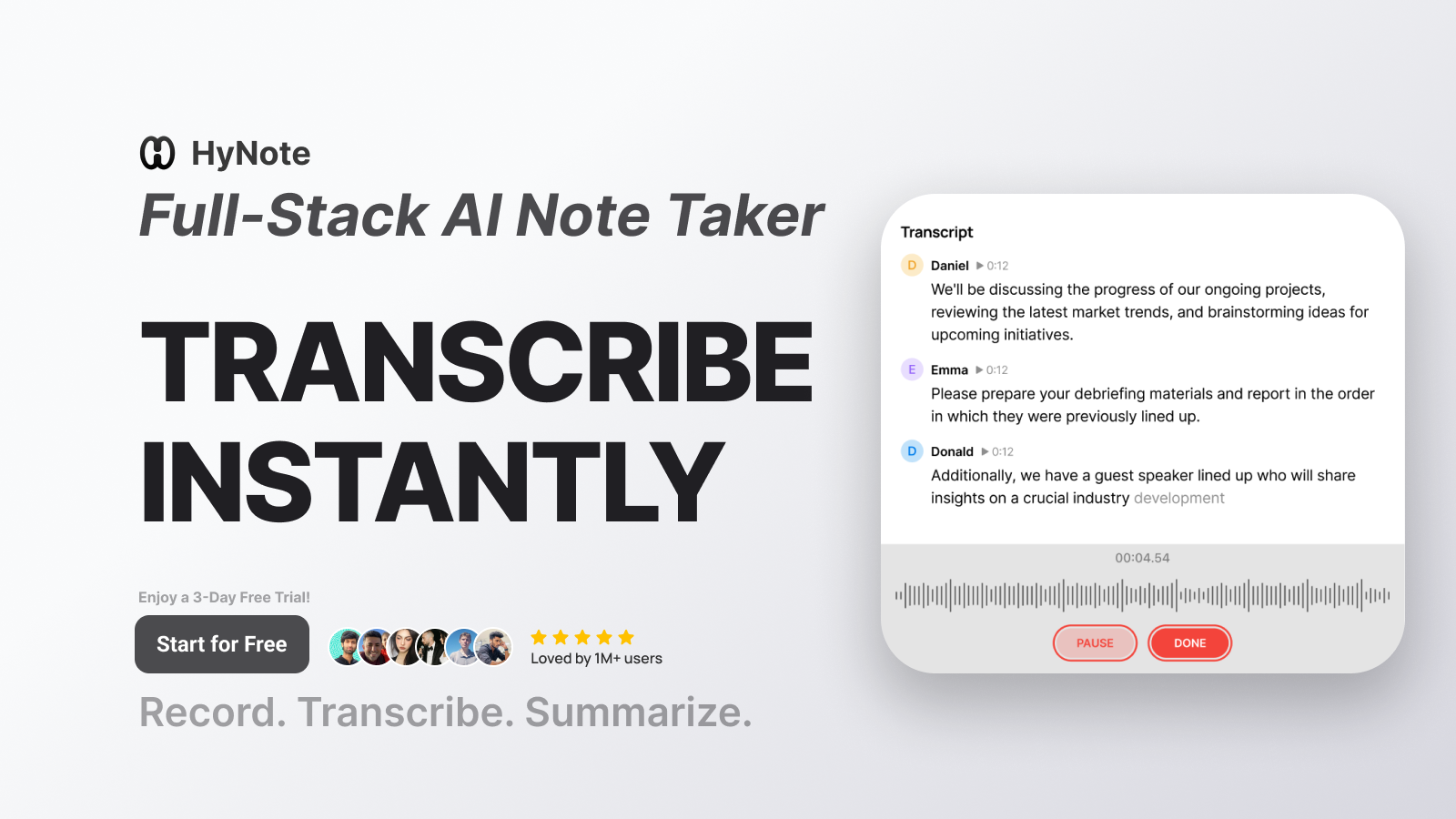
HyNote’s transcription pipeline is the area where the tier gating gets uncomfortable. Real-time transcription, where text appears on screen as the speaker talks, is a Plus-tier feature and above. The Pro tier transcribes only after the recording finishes, which is fine for solo memos but a real limitation if you want to follow along with notes during a live call.
Accuracy on clean audio (single speaker, decent microphone, low background noise) is consistently strong based on App Store and Play Store user feedback. Where any AI transcription tool struggles is overlapping speakers, heavy accents, and technical jargon. HyNote’s speaker identification (also Plus-tier and above) helps separate voices in multi-party meetings, though like every speech-to-text tool in 2026, it is not perfect with three or more concurrent speakers.
Translation lives across multiple tiers. Pro includes post-recording translation, which is sufficient for processing a foreign-language meeting after the fact. Plus and Unlimited add live translation, which is genuinely useful for cross-border calls where one party speaks Mandarin and the other speaks English.
Smart Summary and AI Credits
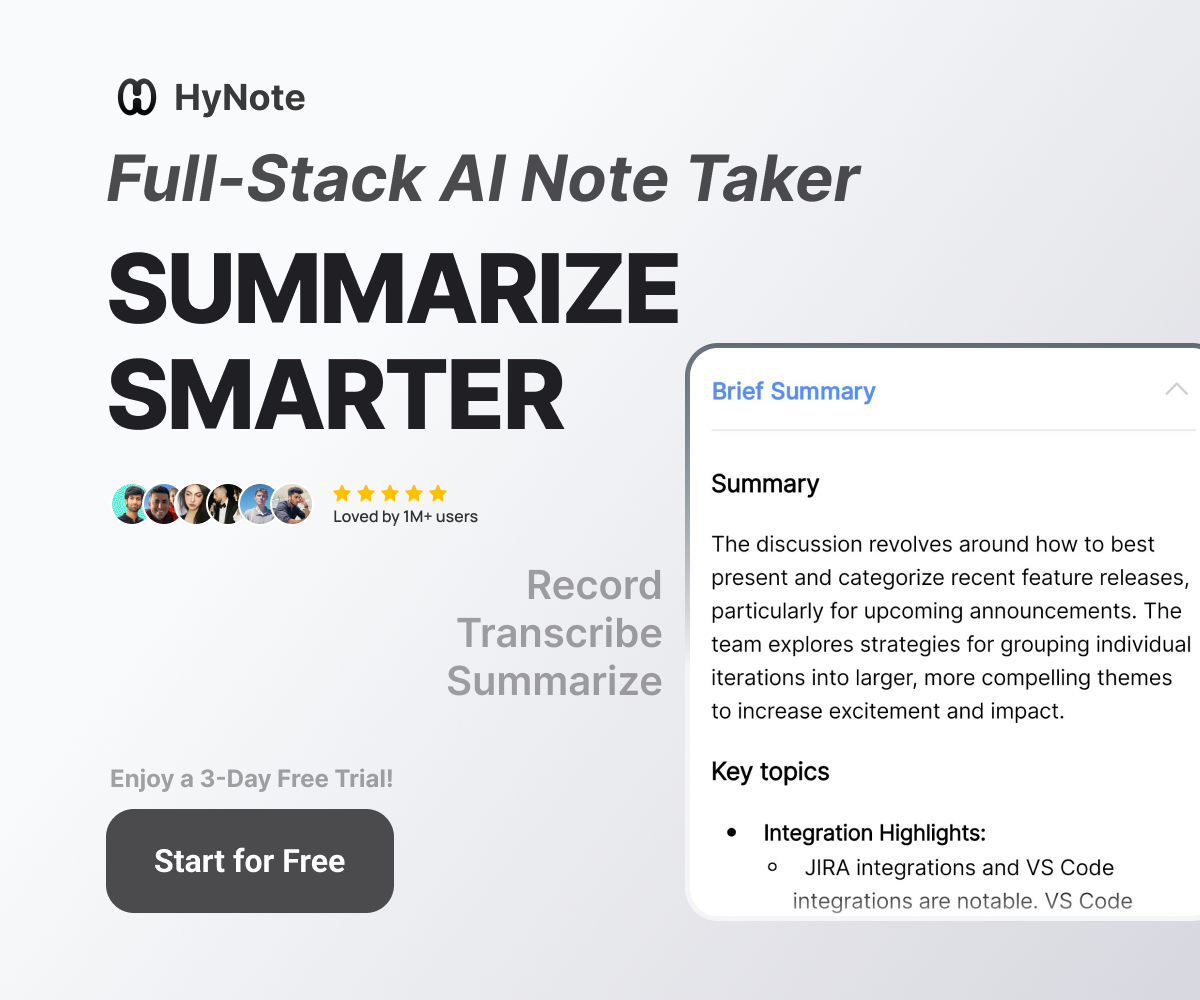
Once a transcript exists, HyNote’s Smart Summary engine produces a structured digest. The default output includes a meeting overview, key decisions, action items with owners, and a list of open questions. You can also generate a follow-up email draft, podcast-style audio recap, slide deck outline, or infographic from the same transcript. Each of these advanced outputs consumes AI credits from your monthly allowance: 300 on Pro, 400 on Plus, 600 on Unlimited.
The credit system is HyNote’s way of monetizing the heavy generative work without making everyone pay for it. In practice, a working pro running 10 to 15 meetings a week and generating a follow-up email and a recap for each will burn through roughly half the Pro allowance, which is sustainable. If you want podcast and slide outputs every week, you will hit the credit ceiling on Pro and probably want Plus or Unlimited.
Other Features Worth Calling Out
- Calendar integration: Auto-imports upcoming meetings, suggests which to record, and attaches notes to the right calendar event.
- OCR uploads: Drop a scanned PDF or photo of a whiteboard and HyNote extracts the text into a searchable note.
- YouTube and webpage capture: Paste a link and HyNote pulls the transcript or extracts text, then summarizes.
- Tags, folders, snippets: Organization metadata that makes long-term search across hundreds of recordings feasible.
- Cross-device sync: Captures on your phone show up on your laptop within seconds. This sounds obvious but several competitors handle this poorly.
Pricing Deep Dive
HyNote AI’s pricing structure rewards annual commitments with steep discounts and bonus credits. Here is the practical breakdown.
CriticNest Note: Annual Billing Is the Right Default
HyNote AI’s annual plans cost roughly 45 percent less than the monthly equivalents and double your AI credit allowance. Pro drops from $11.99 monthly to $6.66 per month annually ($79.99 per year). Plus drops from $18.99 to $10.83 ($129.99 per year). Unlimited drops from $24.99 to $15.83 ($189.99 per year). Annual also doubles AI credits at every tier (300, 400, and 600 annual versus 150, 200, and 300 monthly). Stack the AINOTE10 promo code for an additional 10 percent off and annual becomes the clear default unless you are still inside a short evaluation window.
Free tier is genuinely useful and not just a teaser. You get audio recording, transcription on a limited monthly allowance, professional templates, file uploads, calendar integration, cross-device sync, and secure storage. For a freelancer or student running a few meetings a month, this can cover real workflows without ever paying.
Pro at $79.99 per year ($6.67 per month) is the entry paid tier. You get 1,200 transcription minutes per month, 60-minute recording sessions, post-recording translation, transcript export, and 300 AI credits for advanced outputs. The big missing piece is real-time transcription. If you do not need to see text as people speak, Pro is a fair entry point.
Plus at $129.99 per year ($10.83 per month) adds the features most working pros actually want: real-time transcription, speaker identification, 120-minute sessions, live translation, 400 AI credits, and structured export to Google Docs and Notion. This is the sweet-spot tier for the “five to fifteen meetings a week” persona.
Unlimited at $189.99 per year ($15.83 per month) removes every cap. Unlimited transcription minutes, unlimited session length, unlimited storage, 600 AI credits, plus CRM integration. If you do more than 20 hours of recording per month or want HyNote to write transcripts directly into Salesforce or HubSpot deal records, Unlimited is the right call. If not, the marginal $60 per year over Plus is hard to justify.
Teams at $15 per seat per month ($180 per seat annually, two-seat minimum) is essentially Unlimited plus admin controls and shared templates. Reasonable pricing for a 5-to-25-person company that wants every meeting note in a single managed account, but the per-seat cost adds up fast for larger orgs.
Use code AINOTE10 for 10% off any HyNote AI subscription plan.
Applies at checkout on monthly or annual billing. Works on Pro, Plus, and Unlimited tiers for new accounts.
Real-World Use Cases
HyNote AI fits some workflows much better than others. Here is where it earns its keep.
Sales calls and discovery sessions. Capture the call, get a transcript with speaker labels, generate a structured summary with action items, and push the result into a Google Doc or Notion page for the deal record. The follow-up email draft is the unsung hero here. Roughly 70 percent of the email is usable as-is, which saves real time on rep handoffs.
User research interviews. One-hour interviews are cumbersome to transcribe manually and expensive to outsource. HyNote handles them in minutes with speaker labeling, then surfaces direct quotes you can pull into research deliverables. The HIPAA compliance posture matters here if you are interviewing patients or handling protected health information.
Sprint planning and standups. Engineering teams who want decisions captured without a designated note-taker get exactly that. The structured summary format with action items and owners maps cleanly to Jira or Linear ticket creation. The published 4.8-star average on the App Store skews heavily toward tech and design pros for this reason.
Lectures and academic research. Students record lectures, get searchable transcripts, then ask HyNote to generate study summaries or flashcards from the credits-based AI features. Speaker identification helps in seminars with multiple presenters. Battery life on the Watch and phone apps is the practical bottleneck for hour-long lectures.
Podcasters and content creators. Record a podcast episode, get a transcript, generate show notes and a chapter outline, then export to Notion or Google Docs for editing. The “podcast” output type in the credits system is specifically aimed at this workflow.
Field service and clinical rounds. The new Voice Recorder hardware launch is positioned for this use case. A clinician walking between patients, an inspector logging a job site, or a journalist running an in-person interview can capture audio without holding a phone. Sync happens when the device reconnects to wifi.
Pros and Cons
Pros
- Genuinely useful Free tier (most rivals are demo-tier)
- Real-time transcription on Plus and Unlimited
- 4.8-star ratings on App Store (3.8K) and Play Store (2.5K)
- GDPR, CCPA, HIPAA compliant across all tiers
- Broad input sources: audio, video, PDF, image OCR, YouTube, web pages
- Native Notion and Google Docs export on Plus and above
- Calendar integration and Chrome Extension that just works
- Cross-platform (web, iOS, iPadOS, Apple Watch, Android, Chrome)
- 1M+ active user base, indicating product-market fit and stability
- 10 percent CriticNest discount via AINOTE10
Cons
- Real-time transcription gated to Plus tier and above
- Speaker identification also Plus and above
- Pro tier session cap of 60 minutes is too short for workshops
- No native Slack, Microsoft Teams, or Salesforce integration mentioned (CRM only on Unlimited)
- Voice Recorder hardware specs and pricing not yet public
- 1,200 monthly minutes ceiling on Plus may not be enough for daily-meeting-heavy roles
- Free tier minute allowance is limited and not specified clearly on the marketing page
- Monthly billing penalizes you with half the AI credits and roughly 45 percent higher per-month cost
HyNote AI vs the Alternatives
HyNote sits in a crowded category. Here is how it compares against the four most relevant rivals working pros are choosing between in 2026.
HyNote AI vs Otter.ai. Otter is the longer-established meeting transcription specialist with a stronger free tier (300 minutes per month versus HyNote’s limited free allowance) and tighter Slack and Salesforce integration. HyNote wins on cross-platform breadth (Apple Watch, OCR uploads, YouTube extraction) and HIPAA compliance. If you are exclusively transcribing live meetings on Zoom and Google Meet, Otter is the safer pick. If you also need to process PDFs, recordings, and webpages through the same pipeline, HyNote is more flexible.
HyNote AI vs Notion AI. These are different products with overlapping pitches. Notion AI is an AI layer inside the Notion workspace, useful if you already live in Notion for documents and project management. HyNote is a standalone audio-first capture tool that exports to Notion. The right answer is usually both. Use HyNote to capture, then push the cleaned summary into Notion for long-term storage. The two are complementary, not competitive.
HyNote AI vs Granola. Granola is the Mac-only AI meeting tool that has gained a strong following with startup engineers in 2025 and 2026 for its minimalist UI and one-pane workflow. Granola is leaner, faster on the Mac, and arguably better-designed. HyNote is broader (Windows, Android, iOS, Watch, Chrome Extension) and HIPAA compliant. Mac-only knowledge workers who hate bloat tend to prefer Granola. Cross-platform and regulated-industry users tend to prefer HyNote.
HyNote AI Voice Recorder vs Plaud Note. Plaud is the dominant brand in standalone AI voice recorders with a credit card-sized device that magnets to your phone. The HyNote Voice Recorder hardware is HyNote’s response. Direct comparison is premature until full HyNote hardware specs and pricing are public, but the strategic intent is clear: HyNote wants to own the full hardware-plus-software loop the way Plaud already does. We will publish a head-to-head comparison once the HyNote Voice Recorder is widely available.
Who Should Buy HyNote AI
Buy HyNote AI if you run between 5 and 20 meetings per week, want AI summaries with action items as a default deliverable, value clean export to Google Docs or Notion, work in a regulated industry where HIPAA or GDPR compliance is non-negotiable, or want a single tool that captures both live audio and uploaded documents (PDFs, YouTube videos, webpages) in the same searchable archive.
Skip HyNote AI if your note-taking needs are mostly personal and short-form (Apple Notes or Notion is enough), you are already deeply embedded in the Otter or Granola ecosystem with archived recordings you do not want to migrate, you record more than 50 hours per month and the Unlimited tier still feels expensive (Otter Business is sometimes cheaper at scale), or you specifically need Microsoft Teams, Salesforce, or Slack as first-party integrations (these are not HyNote’s strongest area as of May 2026).
Frequently Asked Questions
Is HyNote AI free?
Yes. HyNote AI offers a Free tier with no credit card required. The Free tier includes audio recording, transcription on a limited monthly allowance, professional templates, file uploads, calendar integration, cross-device sync, and secure storage. Real-time transcription, speaker identification, and unlimited recording require a paid tier (Plus at $129.99 per year and above).
How accurate is HyNote AI transcription?
Accuracy is consistently strong on clean audio (single speaker, decent microphone, low background noise) based on aggregated user feedback across the App Store (4.8 stars from 3.8K reviews) and Google Play (4.8 stars from 2.5K reviews). HyNote AI struggles with the same edge cases that affect every speech-to-text tool in 2026: overlapping speakers, heavy accents, low-quality phone audio, and dense technical jargon. Speaker identification on Plus and Unlimited helps separate voices in multi-party meetings.
Does HyNote AI work with Zoom and Google Meet?
Yes. HyNote’s Chrome Extension auto-detects when you join a Google Meet, Zoom, or Microsoft Teams call and offers to start capture without a calendar bot or separate dial-in. This is a meaningful UX advantage over tools like Otter.ai and Fireflies, which rely on bot-joining workflows that some companies block for security reasons.
Is HyNote AI HIPAA compliant?
Yes. HyNote AI states GDPR, CCPA, and HIPAA compliance across all tiers including Free. This is unusual for consumer-priced AI note tools and matters if you handle protected health information, work in regulated industries, or are an attorney handling privileged communications. Always confirm directly with HyNote support that your specific use case meets compliance requirements before relying on it.
Can I use HyNote AI offline?
Audio capture works offline on the iOS and Android apps. Recordings sync to the cloud and run through transcription and summarization once the device reconnects to wifi or cellular data. The web app and Chrome Extension require an active internet connection to record. The new HyNote AI Voice Recorder hardware is designed to capture offline and sync later.
What languages does HyNote AI support?
HyNote AI supports a broad set of languages for both transcription and translation, with the exact list updated regularly on the official site. Live translation is available on the Plus and Unlimited tiers, while post-recording translation is included on Pro. For a current language list, check the HyNote AI features page directly before subscribing if a specific language is critical to your workflow.
Does HyNote AI integrate with Notion and Google Docs?
Yes, on the Plus tier and above. Plus and Unlimited include native export to both Notion and Google Docs, where structured summaries land as properly formatted pages or documents rather than dumped transcripts. The Pro tier exports plain transcripts but does not push into Notion or Google Docs natively.
What is the difference between HyNote Pro and HyNote Plus?
The two main differences are real-time transcription and speaker identification, both of which are Plus-tier and above. Pro transcribes only after the recording finishes, while Plus shows text on screen as the speaker talks. Plus also doubles the session length limit (60 minutes on Pro versus 120 minutes on Plus), adds live translation, increases AI credits from 300 to 400, and enables Notion and Google Docs export. The price gap is $50 per year ($79.99 vs $129.99). For most working pros, Plus is the better value.
Is the AINOTE10 promo code real and how do I use it?
Yes. AINOTE10 is a CriticNest reader discount code that applies 10 percent off HyNote AI subscription plans at checkout. It works on Pro, Plus, and Unlimited tiers for new accounts on monthly or annual billing. Apply the code on the HyNote AI checkout page before completing payment. The discount stacks with the standard pricing structure but cannot be combined with other promotional offers.
Is the HyNote AI Voice Recorder hardware worth buying?
Too early to recommend definitively. The Voice Recorder is a recent launch and full pricing, battery specs, and availability are not yet public on hynote.ai’s main product pages as of May 2026. The strategic positioning is clear: HyNote wants to compete with standalone AI recorders like Plaud Note and Limitless Pendant by adding hardware to its existing software platform. We will publish a hands-on hardware review and a head-to-head comparison once the device is widely available.
Final Verdict
HyNote AI earns 8.2 out of 10 from CriticNest based on public-facing testing in May 2026. It is a credible AI note-taking platform with a genuinely useful Free tier, strong cross-platform support, and rare HIPAA compliance at consumer pricing. The Plus tier at $129.99 per year is the sweet spot for working professionals running 5 to 20 meetings per week who want real-time transcription, speaker identification, and Notion or Google Docs export, with annual billing delivering a real 45 percent discount and double the AI credits compared to monthly. The score gets dragged down by feature gating that pushes real-time transcription up to Plus, AI credit ceilings that pinch heavy users on Pro, and a Voice Recorder hardware launch that is not yet fully documented.
An updated verdict with hands-on Premium testing will land in late May 2026. For now, the 7-day free trial on Pro, Plus, and Unlimited is the safest entry point. Try the workflow risk-free, then commit annually with the AINOTE10 promo code for an extra 10 percent off the already discounted yearly rate.
CriticNest may earn an affiliate commission when you sign up for HyNote AI through links in this review. Our editorial scoring is independent of affiliate commission and reflects publicly available product information, pricing, and aggregated user feedback as of May 2026. We will publish an updated verdict after a 14-day hands-on Premium evaluation.