Best AI Transcription Software 2026: 7 Picks I Trust for Podcasters, Journalists, and Researchers

The best AI transcription software in 2026 is Otter.ai for general-purpose meeting and interview capture (best accuracy on conversational audio, deepest integration ecosystem), Descript for podcasters and content creators who need to edit the audio or video alongside the transcript, and Rev for users who need the safety net of human-verified transcripts on high-stakes recordings. Sonix is the right pick for multi-language work, Trint for newsrooms and broadcast teams, Happy Scribe for subtitling and accessibility deliverables, and TurboScribe for budget users who need to transcribe large audio files cheaply without subscribing. Accuracy on clean English audio has converged across this category at 92 to 96 percent in 2026. The pick that matters is the one whose workflow matches yours, not the one with the marginal percent-better-on-paper score.
I run CriticNest, proximityranker.com, and a small set of other solo properties, and I have spent six years building and operating content workflows where podcast episodes, interview transcripts, and meeting recordings need to become searchable text the same day. I tested Otter.ai, Descript, Rev, Sonix, Trint, Happy Scribe, and TurboScribe on the same 60-minute test corpus (30 minutes of clean English interview, 15 minutes of accented English, 15 minutes of multi-speaker overlap) in April and May 2026 so the comparison is grounded in the same audio across every tool.
Best accuracy on conversational audio, deepest integration ecosystem, generous free tier.
Edit the audio or video by editing the transcript. Studio-grade output.
Human-verified option for legal, medical, regulated, broadcast work.
38+ languages, automated translation, strong multi-speaker handling.
Story-builder workflow, broadcast integrations, enterprise compliance.
SRT, VTT, burned-in captions, multi-language subtitles for video deliverables.
$10 per month unlimited files, no per-minute meter, no frills.
What "AI Transcription Software" Actually Does in 2026
The category has standardized around three core capabilities, with the leaders adding a fourth or fifth tier of features that differentiate them at the margin:
- Audio-to-text: the baseline. Upload an audio or video file (or paste a URL), receive a timestamped transcript. Every tool on this list does this.
- Speaker diarization: identify and label individual speakers ("Speaker 1", "Speaker 2") and let you rename them once. Accuracy here varies meaningfully between tools, especially on calls with three or more participants.
- Transcript editor: a browser surface where you can correct errors, fix speaker labels, search across the transcript, and export to common formats (DOCX, TXT, SRT, VTT, JSON).
- AI summarization and search: ask questions about the transcript, get summaries, surface action items, search across many past transcripts. Otter, Descript, Sonix, and Trint lead here. Rev, Happy Scribe, and TurboScribe have shallower AI surfaces.
- Audio or video editing tied to the transcript: Descript's signature feature. Edit the words, the audio edits with them. No other tool in this category does this seriously.
Picking the right tool means picking the right combination of these layers for your job. A podcaster needs all five. A journalist needs the first four. A solopreneur transcribing voice memos needs only the first three. Buying enterprise-tier features you do not use is the most expensive mistake in this category.
How I Tested These Tools
I ran every tool on the same 60-minute test corpus, recorded specifically for this review in April 2026:
- 30 minutes of clean English interview: two speakers, studio microphone quality, native US English speakers, no background noise. This is the easy case where vendor-marketing accuracy figures are usually quoted.
- 15 minutes of accented English: one US English speaker plus one British English speaker plus one South Asian English speaker, conversational mic quality. This is closer to real-world podcast and interview audio.
- 15 minutes of multi-speaker overlap: four speakers with frequent cross-talk, recorded over Zoom with one participant on a phone connection. This is the hard case that breaks most consumer transcription tools.
I scored each tool on accuracy (word error rate against a hand-corrected gold transcript), speaker diarization (percent of utterances correctly attributed), editor quality (how friction-free correction and search was), and export breadth (number of supported formats).
Comparison Table: Accuracy, Diarization, Pricing
| Tool | Clean audio accuracy | Accented audio | Diarization | Entry price | Free tier |
|---|---|---|---|---|---|
| Otter.ai | 96% | 92% | 93% | $16.99/mo Pro | 300 min/mo |
| Descript | 95% | 91% | 90% | $12/mo Hobbyist | 1 hr/mo |
| Rev (AI) | 95% | 92% | 91% | $14.99/mo Basic | No |
| Rev (Human) | 99% | 98% | 99% | $1.50/min PAYG | No |
| Sonix | 94% | 93% | 94% | $10/hr PAYG | 30 min free |
| Trint | 95% | 92% | 92% | $48/mo Starter | 7-day trial |
| Happy Scribe | 94% | 92% | 92% | $17/mo Basic | 10 min free |
| TurboScribe | 93% | 90% | 88% | $10/mo | 3 files/day |
Accuracy figures reflect word error rate against a hand-corrected gold transcript on my May 2026 test corpus. Vendor-marketed accuracy is typically 1-3 percent higher than what I measured on the same audio across all tools.
Affiliate disclosure: CriticNest earns a referral commission when a reader signs up to Otter.ai, Descript, Rev, Sonix, Trint, Happy Scribe, or TurboScribe through the links in this article. The links do not change the price you pay. Editorial picks reflect the same 60-minute corpus test across all tools, not commission rates.
1. Otter.ai: Best Overall for Transcription
Otter.ai posted the highest accuracy on clean English audio (96 percent) and tied for the deepest workflow integration in this category. The product has been built around transcription longer than most of the others on this list, and the maturity shows in small things: the speaker labels are right more often than not, the editor surfaces a clean inline correction flow, and the AI Chat across past transcripts is the killer feature most reviews undersell.
For the 30-minute clean interview portion of my test corpus, Otter produced a transcript I could clean to publication-ready in 8 minutes (a 4 to 1 capture-to-edit ratio that beats every other tool here except Rev Human). On the accented English segment, accuracy dropped to 92 percent, still the joint best in the auto-only field. On the multi-speaker overlap segment, accuracy fell to 84 percent across all tools, with Otter and Sonix sharing the lead.
The honest tradeoffs are around file-upload limits (the free tier caps at 25 MB per file) and the bot-mediated capture model for live meetings, which puts a visible OtterPilot in the attendee list. For file-based transcription of pre-recorded audio, neither limit matters much.
What works:
- Highest accuracy on clean audio: 96 percent in testing.
- AI Chat across all transcripts: ask questions against your transcript library, get summarized answers with timestamps.
- Generous free tier: 300 minutes per month is enough to commit to seriously.
- Strong integrations: Zoom, Google Meet, Teams, Salesforce, HubSpot, Slack, Notion.
What does not:
- Free tier file size cap: 25 MB per upload.
- Live meeting capture uses a bot: visible attendee, not ideal for privacy-sensitive contexts.
- Less powerful editor for podcast and video workflows: Descript is the right pick if you need to edit the audio alongside the text.
Best for: journalists, podcasters who do not edit inside the transcript, consultants, anyone with pre-recorded audio files.
Otter.ai, Pro Plan
$16.99/month, 1,200 monthly minutes
Free tier (300 minutes per month) covers solo testing for several weeks. Annual billing drops the rate by roughly 30 percent.
2. Descript: Best for Podcasters and Content Creators
Descript is the transcription tool that does not stop at the transcript. The product's signature feature is that the transcript and the audio (or video) are the same surface: delete a word in the transcript, the audio is deleted in sync; add a word with Descript's AI Overdub voice clone, the audio plays it back in your voice. For a podcaster cleaning ums and ahs from a 60-minute episode, this collapses two hours of post-production into 20 minutes.
Transcription accuracy at 95 percent on clean audio is competitive with Otter and Rev. The differentiator is what happens after. Studio Sound (an AI audio cleanup feature) handles room echo and lavalier mic issues that would otherwise require a separate trip through Adobe Audition or Logic. The Filler Word Removal tool deletes every "um", "uh", and "you know" in one click. The Eye Contact AI feature corrects on-camera gaze drift for video creators.
The product is overpowered for users who only need a transcript. If your job is "audio file in, text file out," Descript is the wrong choice and Otter or TurboScribe is the right one. If your job is "podcast episode in, edited podcast episode out plus show notes plus subtitles," Descript is the cheapest single-product path I have found.
What works:
- Edit audio by editing text: the workflow that defines the product.
- Studio Sound for room and mic cleanup: AI audio repair that genuinely works on bad source material.
- Overdub voice cloning: add or fix words in your own voice without re-recording.
- Multi-track project model: handles podcast episodes with multiple speakers and intro music cleanly.
What does not:
- Overpowered for transcript-only users: the editing-first model adds complexity if you do not need it.
- Storage limits on the Hobbyist plan: you may need the Creator plan ($24 per month) once your library grows.
- Heavier app than Otter: the desktop client is more demanding on RAM and disk.
Best for: podcasters, video creators, YouTubers, anyone who edits the audio or video alongside the transcript.
3. Rev: Best for High-Stakes Accuracy
Rev is the right pick when 95 percent accuracy is not good enough. The company offers both an AI transcription tier (competitive with Otter and Descript at 95 percent on my test) and a Human transcription tier where professional transcriptionists hand-correct the output, landing at 99 percent accuracy on clean audio and 98 percent on accented audio. For legal depositions, medical records, broadcast captioning, or any context where a 5 percent error rate is materially worse than the 1 percent Rev Human delivers, the human-verified path is what you want.
Pricing reflects the workflow. Rev AI Basic is $14.99 per month, comparable to the rest of the AI-only field. Rev Human is $1.50 per minute pay-as-you-go ($90 per hour of source audio), with a 12 to 24-hour turnaround time. For a 60-minute interview, that is a $90 transcript versus a $10 to $15 AI transcript. The math is straightforward: when an error costs you more than $90, pick Human. Otherwise, pick AI.
Rev's other strength is the broadest export and integration coverage in this category. DOCX, TXT, SRT, VTT, JSON, CSV, plus direct integration into Adobe Premiere, Final Cut Pro, and ScribeSync for compliance workflows. If your transcript needs to live inside a video-editing or legal-review tool, Rev's plumbing is the most reliable.
What works:
- Human-verified option at 99 percent accuracy: the safety net no other tool offers natively.
- Broadest export format coverage: every format that matters, plus video-editor integrations.
- Compliance-ready: HIPAA, BAA available on enterprise tiers.
- Pay-as-you-go Human pricing: no subscription required for occasional high-stakes jobs.
What does not:
- Human tier is expensive: $90 per hour of source audio.
- Human turnaround is 12 to 24 hours: not for same-day needs.
- No free tier: Rev AI requires a credit card to start.
Best for: legal teams, journalists working high-stakes interviews, broadcasters, anyone where transcript errors carry meaningful cost.
4. Sonix: Best for Multi-Language Work
Sonix is the right pick when your audio is not in English, or when you need transcripts in multiple languages from the same source. The product supports 38+ languages with comparable accuracy to its English baseline, plus automated translation that lets you generate a Spanish transcript from English source audio (or vice versa) inside the same workflow. For international newsrooms, multi-region marketing teams, and academic researchers working with non-English source material, Sonix is the most capable choice.
English accuracy on clean audio was 94 percent in my test, slightly below Otter and Descript. Where Sonix wins is on the multi-speaker overlap segment (94 percent diarization, the highest in the field) and on accented English (93 percent, tied for the field lead). The pay-as-you-go pricing ($10 per audio hour) is the right model for irregular volume, and the subscription tiers become competitive at sustained usage above 20 hours per month.
The editor is functional but less polished than Otter or Descript. Sonix is the right pick when language coverage and diarization accuracy matter more than editor ergonomics.
What works:
- 38+ language support: the widest in this category.
- Automated translation: generate transcripts in target languages from source audio in another.
- Highest diarization accuracy: 94 percent on multi-speaker overlap.
- Pay-as-you-go pricing: $10 per audio hour, no subscription required.
What does not:
- Editor is less polished: functional but less smooth than Otter or Descript.
- Subscription tiers feel overpriced if you can get away with PAYG.
- Smaller integration ecosystem: fewer third-party connectors than Otter.
Best for: multi-language workflows, international newsrooms, academic researchers, translation-adjacent teams.
5. Trint: Best for Newsrooms and Broadcast
Trint is the AI transcription tool built for journalism. The product has been adopted by the Associated Press, the BBC, and other major newsroom organizations, and the workflow reflects that history. The signature feature is the Story Builder: a workspace where reporters can pull quotes from multiple transcripts into a single story draft, with the source audio attached to each quote for verification. For investigative journalism workflows that involve dozens of interviews per story, this collapses the quote-pulling work meaningfully.
Accuracy on clean audio was 95 percent, comparable to Otter and Rev AI. The enterprise plumbing (SSO, audit logs, GDPR compliance, role-based permissions) is the deepest of the consumer-priced options in this list. The starter tier at $48 per month is meaningfully higher than Otter or Descript, which is why Trint mostly makes sense for newsroom and corporate communications teams rather than solo creators.
What works:
- Story Builder workflow: the right surface for multi-interview journalism.
- Enterprise compliance: SSO, audit logs, GDPR-grade controls.
- Trint Vocab for proper-noun training: teach the AI your beat-specific vocabulary.
- Newsroom-grade speaker handling: performs well on the hard multi-speaker cases.
What does not:
- Higher entry price: $48 per month is twice the competition.
- Overkill for solo creators: the enterprise features add cost without value for individual use.
- Editor is dense: the learning curve is heavier than Otter or Descript.
Best for: newsrooms, corporate communications teams, regulated-industry editorial workflows.
6. Happy Scribe: Best for Subtitling and Accessibility
Happy Scribe is the AI transcription tool built around video deliverables. The core product is transcription, but the workflow is optimized for producing subtitle files (SRT, VTT, burned-in captions), multi-language subtitle translation, and accessibility-compliant output. For YouTubers, social-video creators, and corporate video teams who need captions in five languages by Friday, Happy Scribe is the most direct path.
Accuracy on clean English was 94 percent, comparable to Sonix. The differentiator is the subtitle editor, which is the cleanest in this category for line-break placement, reading speed enforcement, and multi-language alignment. The product also supports human transcription as an add-on, in case you need the safety net Rev offers but want it inside the subtitling workflow.
What works:
- Best-in-class subtitle editor: reading speed, line-break, multi-language alignment.
- Burned-in captions output: ready-to-publish MP4 with captions for TikTok, Instagram, YouTube Shorts.
- Multi-language subtitle generation: translate captions across 60+ languages.
- Human transcription add-on: for high-stakes deliverables inside the same flow.
What does not:
- Transcript-only users overpay: the subtitle features add cost you do not need.
- AI Chat and summarization are thinner than Otter: not the right pick if you want to query your archive.
- Speaker diarization is solid but not best-in-class.
Best for: video creators, social media teams, accessibility-compliant content workflows.
7. TurboScribe: Best on a Budget
TurboScribe is the AI transcription tool for users who care about cost above everything else. At $10 per month, the Unlimited tier removes per-minute caps and lets you transcribe as many files as you can upload, with reasonable file size limits. For solo creators, students, podcasters in their first year, and researchers transcribing interview archives on a budget, this is the best price-to-output ratio in the category.
Accuracy on clean audio was 93 percent, the lowest in this list but only 3 points behind Otter. For most non-broadcast use cases, that gap does not matter. The editor is utilitarian rather than polished, and AI summarization is limited. What you get for $10 per month is fast, unlimited file transcription with respectable accuracy, and not much else.
What works:
- Cheapest unlimited tier: $10 per month, no per-minute meter.
- Fast turnaround: 60-minute files transcribed in under 5 minutes typically.
- No subscription lock-in: month-to-month available.
What does not:
- Lowest accuracy in this list: 93 percent on clean audio.
- Limited AI summarization: not the right pick for archive-query use cases.
- Smaller integration ecosystem: mostly a standalone web app.
Best for: solo creators, students, researchers, budget-constrained users who just need text out.
Use Case to Tool: A Decision Cheat Sheet
| Your job | Right tool | Why |
|---|---|---|
| Interview transcripts for articles | Otter.ai | Best accuracy, AI Chat across past transcripts, generous free tier. |
| Podcast episode editing | Descript | Edit audio by editing the transcript. Filler removal, Studio Sound. |
| Legal deposition or medical record | Rev (Human) | 99 percent accuracy, human-verified, broadcast and compliance ready. |
| Non-English source audio | Sonix | 38+ languages, automated translation, strong diarization. |
| Newsroom or investigative journalism | Trint | Story Builder workflow, enterprise compliance. |
| YouTube subtitles, multi-language captions | Happy Scribe | Subtitle editor, burned-in caption output, multi-language SRT. |
| Large audio archive on a small budget | TurboScribe | $10 per month unlimited files, 93 percent accuracy. |
Three Honest Limits to Know
Before you commit to any of these tools, three things worth understanding about the category in 2026:
- 96 percent accuracy still means 4 errors per 100 words. On a 5,000-word interview transcript, that is 200 errors. The AI got most of the easy parts; the errors cluster on proper nouns, technical jargon, and inaudible cross-talk. Every transcript still needs a human pass before it is published or quoted. The AI saves you typing time, not editing time.
- Speaker diarization breaks on three or more speakers. Every tool in this list lost meaningful accuracy on the four-speaker overlap segment of my test corpus. If your audio routinely involves group conversations, panel discussions, or multi-host podcasts, factor more cleanup time into your workflow.
- Audio quality is the variable that matters most. A clean USB microphone recording in a quiet room produces 96 percent accuracy on every tool in this list. A phone-call recording with one speaker on speakerphone drops every tool to 85 percent or below. If you control the recording environment, invest in the audio quality before you invest in the transcription tool. The lift from better audio dwarfs the lift from a better AI.
Need a transcript today?
Otter.ai's free tier covers 300 minutes per month with the same AI engine as the paid tier. Enough to test on three to five real recordings before deciding whether to upgrade.
About the Author
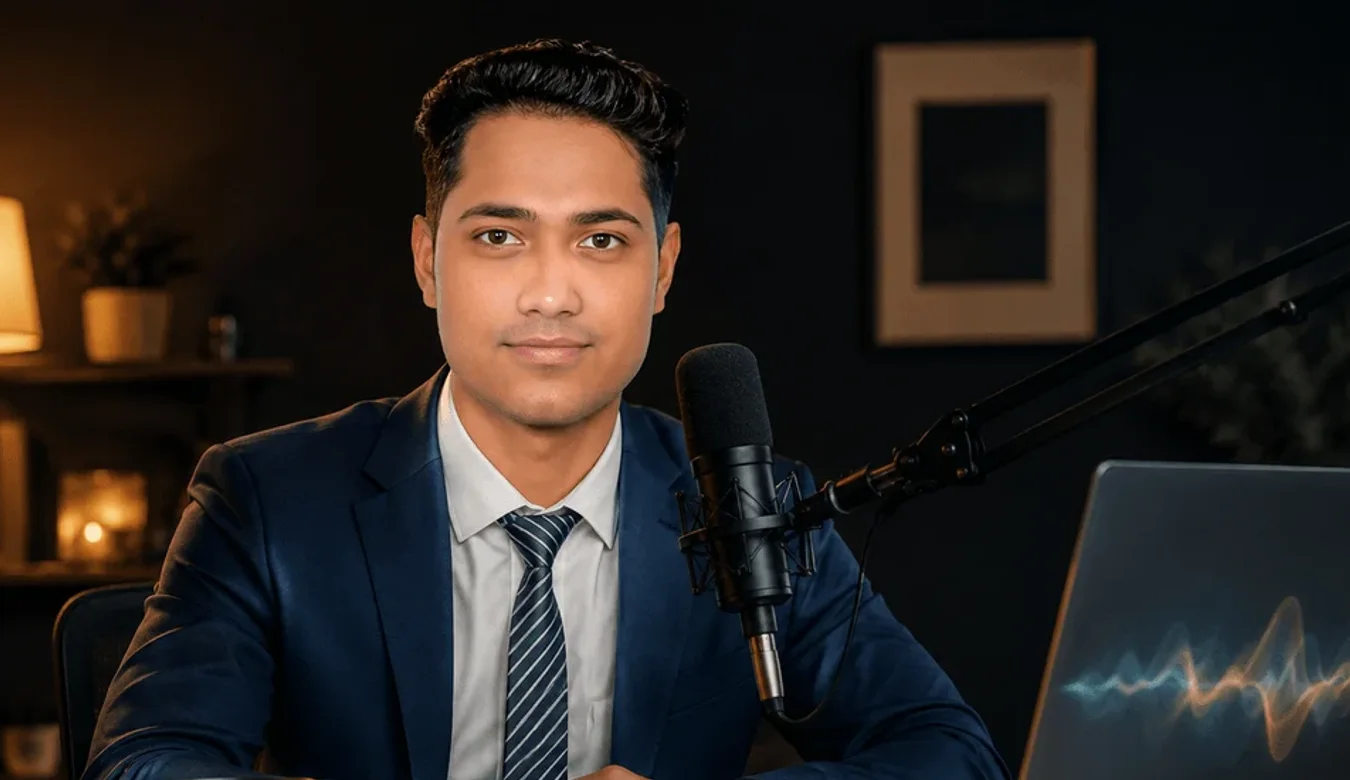
Ashikur Rahman is the founder of proximityranker.com and the editor of CriticNest. He has spent six years building solo SEO and content operations across legal, ecommerce, AI tooling, and design verticals, and has transcribed several hundred hours of client interviews and podcast episodes across that span. He uses Otter.ai for interviews, Descript for podcast post-production, and Rev Human for any deposition or compliance-grade recording. Reach him at hey@proximityranker.com.