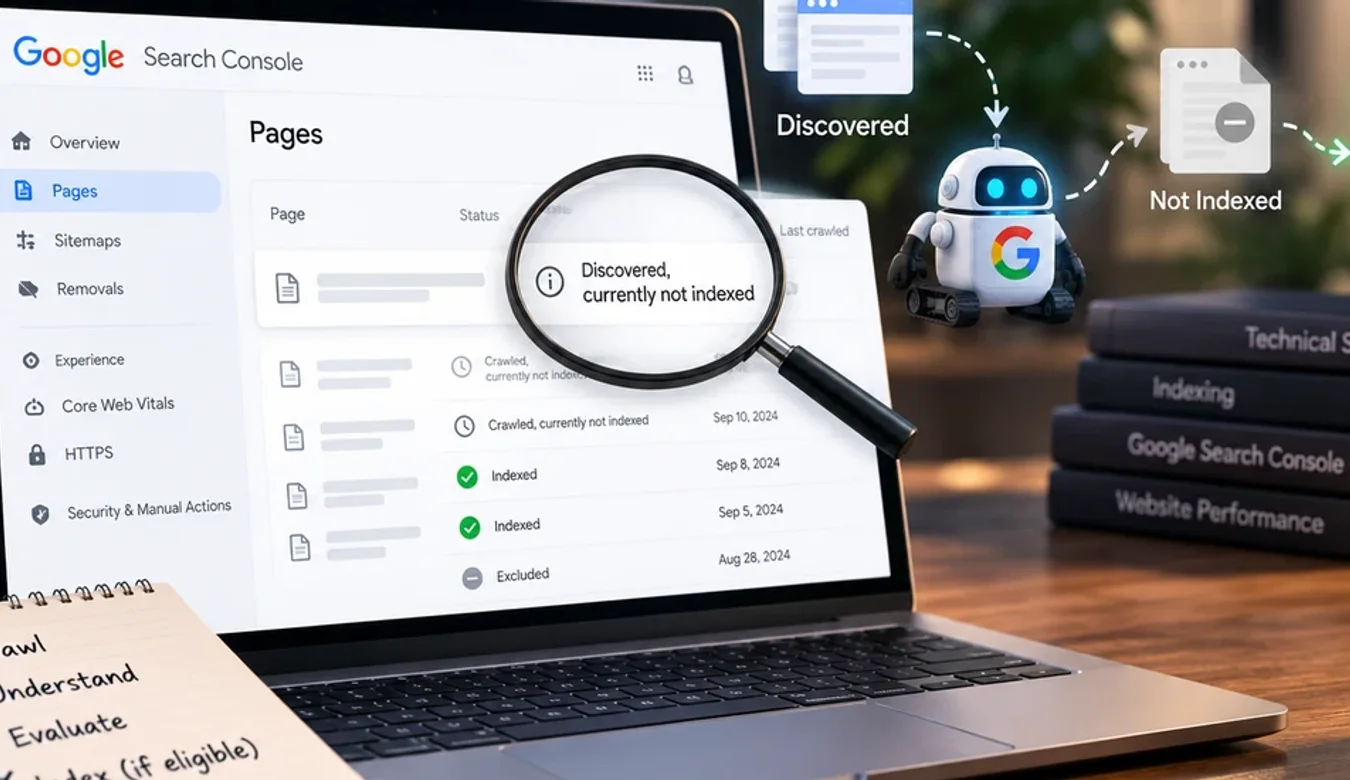
Discovered, Currently Not Indexed: What Google Is Actually Telling You
 By Ashikur Rahman12 min read
Quick answer: "Discovered, currently not indexed" means Google knows your URL exists but has never fetched it. Because Google has not read the page, nothing on the page can be the direct cause, so rewriting the content will not help. It is a crawl demand problem, and crawl demand is driven mostly by link-based importance. The status it is constantly confused with, "Crawled, currently not indexed", means the opposite: Google did fetch the page, read it, and chose not to index it. That one is about quality. These two statuses require opposite responses, and telling them apart is the single most useful five seconds you can spend in Search Console.
Why this one status causes so much wasted work
Almost every site owner I speak to who has this problem has already done the wrong thing about it. They found pages missing from Google, read that thin content causes indexing problems, and spent weeks rewriting pages.
If the status was Discovered, every hour of that was wasted. Not misapplied, not partially useful. Wasted, because Google never downloaded the thing they rewrote.
This is the closest thing to a free diagnostic in technical SEO. It is one column in a report you already have access to, and it splits the entire problem in half before you spend anything.
The two statuses, side by side
| Status | What Google did | What it rules out | What to work on |
|---|---|---|---|
| Discovered, currently not indexed | Found the URL. Never fetched it. | Everything on the page. Content, rendering, schema, speed. Google has not seen any of it. | Links, internal structure, crawl demand |
| Crawled, currently not indexed | Fetched the page, read it, declined to index. | Access and rendering. Google got in fine. | The content itself |
Read that table again if your instinct was that Discovered sounds like the milder problem. It is usually the harder one, because it cannot be fixed by editing anything you control directly on the page.
What Discovered actually means about your site
Google maintains a queue. Your URL is in it. Google has decided other things are worth fetching first, and it will decide that again tomorrow.
Crawl scheduling is a resource allocation problem. Google has to guess which URLs are worth the bandwidth, and its best available guess about a page it has never seen is what the rest of the web thinks of the site it sits on. A domain that nothing links to gives Google almost nothing to go on, so the queue never clears.
That is why the honest answer to "why are my pages Discovered but not indexed" is so often a variation of "nothing links to your site", which is the least satisfying answer in SEO and the one people most want to argue with. It cannot be fixed in an afternoon by editing a template.
There are three other reasons the status shows up, and they are worth checking because two of them are cheap to fix.
The pages Google did crawl were unimpressive. Google samples. If the sample it fetched mostly restated what it already had, it lowers its estimate of what the rest of your URLs are worth. A small number of genuinely good pages raises the estimate for everything behind them.
There is no internal path to the page. If a URL sits only in your sitemap and nothing on the site links to it in body content, you have told Google it exists and nothing more. A sitemap is a list, not a recommendation.
The site is new or has been rebuilt recently. Crawl history is cumulative, and replacing a site throws it away.
A worked example, on a site I own
In August 2026 a directory I own, nycbeautysurgeon.com, lost almost all of its indexing. Out of 67 URLs, 3 blog posts and 1 profile page stayed indexed. Everything else vanished, including the homepage.
Search Console showed 45 URLs as Discovered, currently not indexed, and exactly 1 as Crawled, currently not indexed. No manual action. No security issue. The homepage was in the 45.
Forty-five to one is not a close call. Google had never fetched those pages, so nothing written on them could be the reason they were missing. That ratio killed every content theory in about ten seconds.
I still exonerated the technical layer, because ruling things out is cheaper than guessing. There were 67 unique titles and 67 unique descriptions with zero duplicates. Every URL had a self-referencing canonical. I swept all 67 individually for a noindex meta tag and an X-Robots-Tag header and found zero of each, rather than spot-checking three and assuming. Googlebot's user agent got a 200 and full HTML everywhere. Junk URLs returned real 404s. Time to first byte was 50 to 90 milliseconds warm. A 30-request burst as Googlebot triggered no rate limiting.
Everything was fine, and the site was still deindexed. The causes, in order of how much they mattered: almost no inbound links, a crawled sample with low information gain, a domain that had served three completely different sites in roughly two months with the URL structure replaced twice, and a medical topic published without a named author.
The measurement that predicted exactly which pages survived
This is the part I did not expect, and it is the most useful thing in this article if you run a site with repeated page types.
I ran an 8-gram shingle analysis across the visible text of every page, which gives, for each page, the fraction of its text fragments that appear nowhere else on the site. Then I compared that against what survived.
| Page type | Unique text | Words | Outcome |
|---|---|---|---|
| Blog posts | 89.0% | 3,298 | All 3 stayed indexed |
| Procedure guides | 68.3% | 2,116 | Dropped |
| Core pages | 63.6% | 1,137 | Dropped |
| Profile pages | 38.5% | 1,199 | 35 of 36 dropped |
The ranking is perfect from top to bottom. The three most distinctive pages on the site were the three that survived.
The profile pages were not short. At 1,199 words they would pass most thin-content checks. They were thin in information, which is a different thing: 13 of roughly 20 headings on every profile were the same template with a different name dropped into it.
If you run a directory, a location-page set, or anything generated from a template, measure this before you blame Google. Word count will tell you nothing useful. Uniqueness will tell you which page types are at risk.
Work with me
Pages sitting in Discovered and going nowhere?
The split between Discovered and Crawled decides everything that follows, and it is the one thing nobody can check for you from the outside. What I can do is read it with you and say which of the two problems you actually have before you spend anything.
Send me the site and a screenshot of your Pages report. If it is mostly Discovered, I will tell you which pages should be linking to which. If it is mostly Crawled, the work is on the content and I will say that instead.

Ashikur Rahman
SEO and AI Search Consultant
The contact links above go to me directly, so I earn from it if you hire me. Nothing else on this page is a paid placement.
The hidden structural failure worth checking
One more finding from that investigation, because no audit tool reports it and it is common on modern JavaScript sites.
The registry page was the only page linking to all 36 profiles. A default value on every search filter caused the framework to normalise the clean URL into a fully parameterised one through a redirect that served zero bytes, and that parameterised URL then declared its canonical to be the clean URL, which was the redirect.
So the only hub page on the site was a URL Google was told not to index, pointing at a URL that served nothing. There was no crawlable path into more than half the site. Every page rendered perfectly. Every page passed a crawl test in isolation. The graph was broken.
Search Console's internal links report had been hinting at it the whole time: every guide page showed exactly 17 internal links. An identical count across an entire page type means you are looking at navigation and footer, not hierarchy. Google was getting no signal at all about which pages mattered.
What to do, by status
If your exclusions are mostly Discovered
Stop rewriting pages. Whatever else is true, this is not where the problem is.
Link to the missing pages from the pages Google still crawls. This is the highest-leverage move available to you, and almost nobody does it deliberately. Find the handful of URLs Google fetches regularly and put contextual body links from those into the pages it is ignoring. Navigation links do not count for this, which is what the flat 17 was telling me.
Check that a crawlable path actually exists. Not a sitemap entry. A real anchor on a real indexed page that resolves with one request and no redirect.
Use URL Inspection and request indexing on your best pages. Start with the homepage if it is affected. This is a nudge, not a fix, and it does not scale, but on a small site it gets the sample Google judges you on off the ground.
Then do the slow thing. Earn some external links. On a new domain this is nearly always the actual constraint, and there is no technical substitute for it.
If your exclusions are mostly Crawled
Now content is the right subject. Google read the page and decided the index was better without it.
Measure uniqueness by page type before rewriting anything, compare heading skeletons with names and places normalised out, and look hard at any page type generated from a template. If you have a large set of near-identical pages, consolidating them into fewer better ones usually beats improving them individually. I have written up how to decide that in whether to update old posts or write new ones.
If you see other statuses
Duplicate, Google chose a different canonical means Google found another URL it considers the original. Check your canonical tags actually point where you think, and that none of them points at a URL that redirects.
Excluded by noindex is usually a staging setting that shipped to production. Sweep every URL, including the header, not just a sample.
Soft 404 often means a catch-all route returns 200 for URLs that should not exist, which quietly wastes the crawl budget you are trying to conserve.
Two things that will not fix it
Resubmitting your sitemap. Google already has the URLs. That is what Discovered means.
Buying an indexing service. If something forces a URL into the index without the underlying importance signal, the page is still competing on nothing once it is there.
Publishing more pages. This is the one people try hardest, and on a site with a crawl demand problem it actively works against you. Every new URL joins the same queue, dilutes the average quality of what Google samples, and gives it more reasons to conclude the domain is not worth deep crawling. If forty pages are sitting unfetched, the fortieth-first will not change Google's mind. Making a small number of existing pages genuinely worth linking to will.
If your site was built with an AI website builder and you have been told the problem is JavaScript rendering, check the status first. On modern builders rendering is mostly handled, and the platform comparison in the best AI website builders covers what each one actually ships. A Discovered status means Google never even tried to render your page.
Once you are indexed
Indexing is the floor, not the goal. Being in the index and being chosen are different problems, and increasingly the second one happens inside an AI answer rather than a list of links. Ranking in AI Overviews covers what changes, and Search Console's Generative AI report is how you see whether any of it is landing.
Frequently asked questions
What does "Discovered, currently not indexed" mean?
It means Google knows the URL exists but has never fetched it. Because the page has not been downloaded, nothing on the page can be the direct cause of its absence. It indicates a crawl demand problem, which is driven mostly by link-based importance, not a content problem.
How is it different from "Crawled, currently not indexed"?
Crawled means Google did fetch the page, read it, and decided not to index it, which is a judgement about the content. Discovered means it never got that far. The two require opposite responses: Crawled points you at the page, Discovered points you at links and internal structure.
How long does it take for Discovered pages to get indexed?
There is no published timeframe, and it is not primarily a waiting problem. A URL can sit in that state indefinitely if nothing changes the site's crawl demand. If the pages have been stuck for weeks on a site with few inbound links, more time on its own is unlikely to resolve it.
Will rewriting the page fix a Discovered status?
No. Google has not read the page, so it cannot be reacting to what is on it. Rewriting is the most common wasted response to this status. Improve the internal links pointing at the page and the external authority of the site instead.
Does resubmitting my sitemap help?
Not usually. Google already has the URLs, which is what Discovered means. A sitemap tells Google a page exists; it does not tell Google the page is important. Contextual links from pages Google already crawls do that job.
Should I use Request Indexing in URL Inspection?
It is worth doing on your most important pages, starting with the homepage if it is affected. Treat it as a nudge rather than a fix. It does not scale to a large site and it does not change the underlying reason the queue is not clearing.
Can a new website avoid this problem?
Partly. Publishing fewer, genuinely distinct pages rather than a large templated set gives Google a better sample to judge, and having any external links at all before launch helps considerably. Repeatedly rebuilding a domain works against you, because crawl history is cumulative and a migration discards it.
How do I tell if my pages are too similar?
Measure it rather than judging by eye or word count. Compare text fragments across the site to find what fraction of each page appears nowhere else, and compare heading structures with names and locations removed. On the site in this article, profile pages at 38.5% unique were almost entirely dropped while posts at 89.0% all survived, despite the profiles being a respectable 1,199 words.
Does an indexing service work?
Forcing a URL into the index does not give it the importance it was missing, so the page arrives and competes on nothing. The underlying constraint, which is usually that nothing links to the site, is untouched by the service.
Is a flat number of internal links per page a problem?
It is a strong hint. If Search Console shows an identical internal link count across an entire page type, those links are almost certainly navigation and footer rather than contextual body links, which means your site is giving Google no signal about which pages matter more than others.
My homepage is not indexed. Is that different?
It is more serious and it changes your priorities. The homepage is normally the most linked page on any site, so if it is in the excluded set the site has very little external authority reaching it at all. Address that before working on any inner page.
Transparency: the case study in this article is a site I own personally, and the live technical checks quoted from it were re-run as Googlebot on 17 September 2026. Search Console status definitions are described as Google documents them. There are no affiliate or tracking links on this page.