Is Lovable Good for SEO? Why Your Site Is Not Ranking and How to Fix It
 By Ashikur Rahman15 min read
Quick answer: yes, Lovable is good for SEO in 2026, and if you built a site with Lovable, Bolt, or Cursor and it is not getting search traffic, JavaScript is probably not your problem. Lovable apps created from May 13, 2026 ship with server-side rendering by default, and older React and Vite projects get static HTML snapshots generated automatically with no opt-in. The reason your SEO tool shows an empty page is that Lovable serves pre-rendered HTML only to verified crawlers, and your SEO tool is not one of them. Googlebot sees the content. Your auditing software does not. The real reasons AI-built sites fail to rank are almost always crawl demand, duplication across templated pages, and a complete absence of inbound links.
Is JavaScript really why your Lovable site is not ranking?
Search for why a vibe-coded site is not ranking and you will get the same answer nine times in a row. Client-side rendering hands Googlebot an empty shell. React defers content that never arrives. Your beautiful site is invisible. Then, usually in the next paragraph, an offer to fix it.
I have read that page in a dozen versions. Most of them were written before the thing they describe stopped being true, and almost none of them tested the claim against a site that was actually failing. I did test it, on a site I own, during a real deindexing. The JavaScript explanation was wrong on every count. This post is what I found instead.
Is Lovable good for SEO in 2026?
The rendering complaint was legitimate once. It is largely obsolete now, and the details matter because they decide whether you have a problem at all.
Lovable's own documentation, read on September 17, 2026, says that new apps created from May 13, 2026 use TanStack Start with server-side rendering. Their product page puts it plainly: pages are rendered as complete HTML before they reach the browser, and it is free on all tiers.
Projects built on the older React and Vite stack were not left behind either. They get on-request pre-rendering on deployed public URLs, and the documentation is explicit that static HTML snapshots are generated automatically for all apps on the previous stack, with no opt-in or migration required. You can upgrade an existing project to TanStack Start if you want true SSR, but you do not have to do anything to get pre-rendering.
So the empty-shell story describes a default that no longer applies to either stack. If someone quotes it at you in 2026 without asking when your project was created, they are reciting rather than diagnosing.
Why does an SEO tool see an empty page when Google does not?
Here is the part almost nobody mentions, and it is the single most expensive misunderstanding in this whole category.
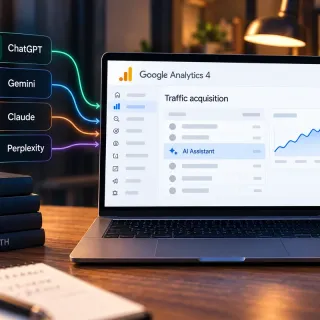
Lovable's pre-rendering is not served to everyone. It is served to verified crawlers: Google, Bing, social preview bots, and AI engines including ChatGPT, Perplexity, Claude, and Gemini. The documentation then says the quiet part out loud. Third-party SEO scanners and other unverified agents see the regular single-page app.
Read that again with your last site audit in mind. You ran Screaming Frog, or Ahrefs Site Audit, or one of the free browser-extension checkers. It reported almost no content, a missing title, maybe a blank body. You concluded your site was invisible to Google. You may have paid someone to fix it.
Googlebot was being served full HTML the entire time. Your tool was served the raw app because it could not prove it was Googlebot. The catastrophe existed only inside the software you used to look for it.
This is why I do not accept a rendering diagnosis from a crawler report. The only test that means anything is fetching the page yourself with Googlebot's user agent, or using the URL Inspection tool inside Search Console, which is Google telling you what Google got.
What does a real vibe-coded site that stopped ranking look like?
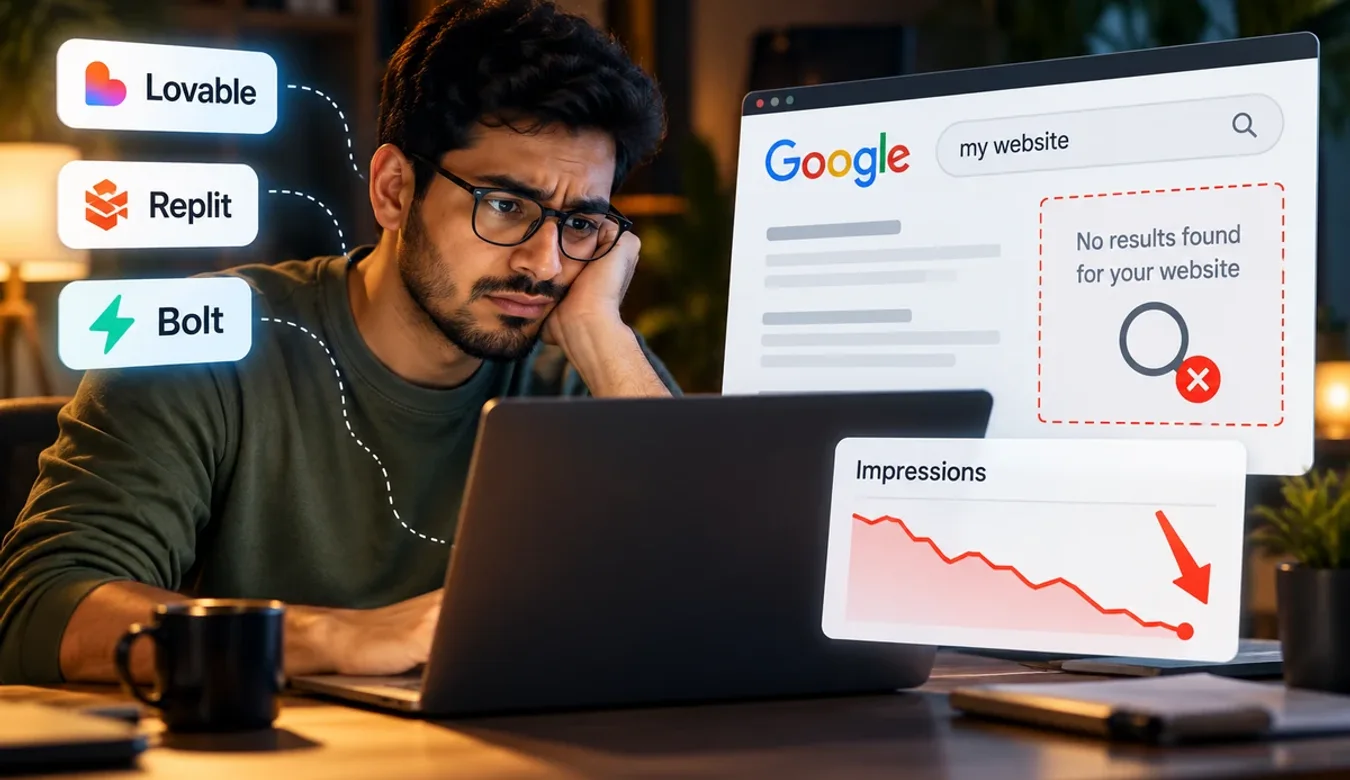
In August 2026 a site I own, nycbeautysurgeon.com, lost almost all of its indexing. It is a directory built on Lovable and TanStack. Out of 67 URLs, 3 blog posts and 1 profile page remained indexed. Everything else was gone, including the homepage.
The obvious explanation was sitting right there. Lovable build, React underneath, mass deindexing. Every article I could find agreed on the cause. So I tested each claim instead of accepting it.
| The claim | The test | What I found |
|---|---|---|
| Lovable ships an empty shell | Fetch raw HTML on every page type | Homepage 102KB, guides around 79KB, posts around 124KB. Zero empty root divs. |
| Duplicate titles and descriptions | Count across the full sitemap | 67 unique titles, 67 unique descriptions, 0 duplicates. |
| The lovable.app subdomain competes with your domain | Fetch the subdomain | It returned a 302 to the apex domain. No competing copy existed. |
| robots.txt or the sitemap is misconfigured | Fetch both, then every URL in the sitemap | robots allowed everything, sitemap was live, all 67 URLs returned 200. |
I kept going, because ruling things out is cheaper than guessing. Googlebot's user agent got a 200 and full HTML on every page type. Every one of the 67 URLs had a self-referencing canonical. I swept all 67 individually for a noindex meta tag and an X-Robots-Tag header and found zero of each, which is not the same as spot-checking three pages and assuming. Junk URLs returned real 404s rather than a soft-404 farm. The www version redirected to the apex. Time to first byte was 50 to 90 milliseconds warm. I sent 30 sequential requests as Googlebot to see whether anything was throttling the crawler, and nothing was.
The technical layer was clean. All four popular explanations were false on this site. And the site was still deindexed.
I re-checked the same URLs as Googlebot on September 17, 2026 while writing this. The homepage returns 200 with 103,259 bytes of server-rendered HTML, no empty root div, no noindex, and a self-referencing canonical. The sitemap still lists 67 URLs. Whatever is wrong with that site, rendering is not it, and never was.
Which Search Console status tells you what is wrong?
The answer was in Search Console, in a place most people scroll past. Of the missing URLs, 45 were "Discovered, currently not indexed" and exactly 1 was "Crawled, currently not indexed".
Those two phrases look similar and mean opposite things.
| Status | What Google is telling you | What it rules out |
|---|---|---|
| Discovered, currently not indexed | Google knows the URL exists but has never fetched it | Page content cannot be the direct cause. Google has not read the page. |
| Crawled, currently not indexed | Google fetched the page, read it, and declined to index it | Rendering and access. This is the quality bucket. |
Forty-five to one is not a close call. Google had never fetched those pages, so nothing on them, not the JavaScript, not the copy, not the schema, could be the reason they were missing. Rewriting them would have changed nothing. That single ratio killed the entire rendering theory in about ten seconds, and it is free to check.
There is a second question worth asking in the same minute: is the homepage in the excluded set? On this site it was, which is severe, and it reorders what you fix first. A related shortcut, if you are diagnosing a site that still has some visibility: ask which pages still rank. If the homepage ranks and only inner pages have failed, you cannot be looking at a domain-level penalty or a sitewide technical fault, because either of those would take the homepage down too.
What was actually stopping the pages from ranking?
Four things, in order of how much they mattered.
No external links. Crawl scheduling is driven by importance, and importance is largely link-based. A domain with almost no inbound links gets almost no crawl budget. Google had 67 URLs and no reason to spend anything fetching them. This is the dominant cause on nearly every new site I look at, and it is the one nobody wants to hear, because it cannot be fixed by editing code.
The small sample Google did crawl was low information gain. When the pages Google does fetch mostly restate what it already has, it lowers its estimate of what the rest are worth.
Domain instability. That domain served three completely different sites in roughly two months. WordPress, then Astro, then TanStack. The URL structure was replaced twice. Every migration throws away accumulated history, and doing it three times in a quarter tells Google the address is not stable enough to be worth crawling deeply.
A YMYL topic with no named author. It was medical content published under an editorial desk byline rather than a real person. That is the hardest possible combination for a domain with no authority.
Not one of those is a JavaScript problem. Not one of them would have been fixed by switching framework, adding a prerender service, or rebuilding the site.
How can you predict which pages Google will drop?
Here is the finding I did not expect, and it is the one worth stealing.
I ran an 8-gram shingle analysis across the visible text of the whole sitemap. For each page it gives the fraction of its text fragments that appear on no other page on the site. Then I compared that number against which pages survived.
| Page type | Unique text | Words | What happened |
|---|---|---|---|
| Blog posts | 89.0% | 3,298 | All 3 stayed indexed |
| Procedure guides | 68.3% | 2,116 | Dropped |
| Core pages | 63.6% | 1,137 | Dropped |
| Profile pages | 38.5% | 1,199 | 35 of 36 dropped |
The three most unique pages on the site were the three that survived. The ranking is perfect, top to bottom.
A heading-level check explained why the profiles scored so badly. Thirteen of roughly twenty headings on every profile page were the same template with a different name dropped in. The pages were not thin in word count. They were thin in information, which is a different and more dangerous thing, and it is exactly what you get when you generate a page type once and fill it 36 times.
If you built a directory, a location-page set, or a programmatic template with an AI builder, run this measurement before you blame anything else. It is the closest thing to a direct read on whether your pages deserve to be indexed.
Can a canonical tag make Google ignore your own hub page?
One more, because it is the kind of thing an audit tool will never tell you and it is specific to modern JavaScript routing.
The registry page was the only page on the site linking to all 36 profiles. A zod default value on every filter caused TanStack to normalise the clean URL into a fully parameterised one through a 307 redirect that served zero bytes. The parameterised URL then declared its canonical to be the clean URL, which was the redirect.
So the only hub page on the entire site was a URL Google was told not to index, pointing at a URL that served nothing at all. There was no crawlable path into 36 of the 67 pages. Fixing it took one line, stripping the default search parameters so the bare URL resolves directly. I confirmed it is still holding on September 17, 2026: the registry URL returns 200 with a self-referencing canonical and all 36 links present.
If you are on TanStack Start and you use zod defaults in your route validation, check this today. It is silent, it passes every rendering test, and it can orphan an entire section of your site.
Work with me
Built it with an AI builder and Google still ignores it?
Before anyone rebuilds your site, find out which kind of problem you have. If Search Console shows pages as discovered but never fetched, the fix is links and internal structure, and no amount of rewriting will move it. If pages were crawled and turned down, the content or the templates are the issue. Those two answers lead to completely different work, and paying for a rebuild when the real gap is authority is the most common expensive mistake I see.
Send me the live URL and, if you can, read access to Search Console. I will read the coverage report, check the pages the way Googlebot receives them, and reply with which problem you have, what I would do about it, and a fixed quote. The first look is free, and if the answer is that the site is fine and simply new, I will tell you that. I diagnosed exactly this on a site I own, so the method is tested on real pages.

Ashikur Rahman
SEO and AI Search Specialist
The contact links above go to me directly, so I earn from it if you hire me. Nothing else on this page is a paid placement.
How do you fix a Lovable site that is not ranking?
If your AI-built site is not getting traffic, work through this before you let anyone sell you a rebuild.
1. Get the exclusion reason from Search Console. Not a third-party tool. Discovered versus Crawled splits your diagnosis in half and costs nothing. Check manual actions and security issues while you are there, and note whether your homepage is affected.
2. Fetch your own pages as Googlebot. One command, or use URL Inspection and read the rendered HTML Google actually received. If content is there, close the rendering question permanently and stop paying attention to what your crawler reports.
3. Measure duplication across your own site. Compare page types, not individual pages, and look at heading skeletons as well as body text. Templated page types are where AI builders do real damage.
4. Count your contextual internal links with navigation and footer stripped out. A flat, identical link count across a whole page type means you are looking at chrome, not hierarchy. On my site every guide showed exactly 17 internal links, which sounds healthy until you realise the number was identical everywhere, so it carried no signal about which pages mattered.
5. Then, and only then, look at links and content. On a new domain this is nearly always the actual answer, and it is the slowest and least satisfying one, which is precisely why so much of the internet prefers to sell you a technical explanation instead.
Disclosure: the Lovable link in the next paragraph is my referral link. If you are new to Lovable and sign up through it, your account gets 10 bonus credits. If you later pay for a Pro or Business plan, Lovable gives me 100 bonus credits. I am paid in Lovable credits, not cash, and nothing in this article changed because of it.
For the platform decision underneath all this, I have compared the main options for client work in Webflow vs WordPress for a client site you have to maintain and reviewed the builder landscape in the best AI website builders for solo founders and service businesses. If you are building on Lovable specifically, building a site on Lovable without burning credits covers the workflow side, and if you are starting a new Lovable project, signing up through my invite link adds 10 bonus credits to the account. And once indexing is genuinely fixed, ranking in AI Overviews is the next problem, because being indexed and being cited are no longer the same thing.
Frequently asked questions
Is Lovable bad for SEO?
Not in 2026. Apps created from May 13, 2026 use TanStack Start with server-side rendering by default, and older React and Vite projects receive automatically generated static HTML snapshots with no opt-in required. Lovable states that server-side rendering is free on all tiers. The platform's earlier client-side-only default was a genuine problem, which is why so much published advice still says so, but it no longer describes what you get.
Why does my SEO tool show my Lovable site as empty?
Because Lovable serves pre-rendered HTML only to verified crawlers such as Google, Bing, ChatGPT, Perplexity, Claude, and Gemini. Their documentation states directly that third-party SEO scanners and other unverified agents see the regular single-page app. Your tool is being served the raw app. Googlebot is not. Verify with Search Console's URL Inspection rather than a third-party crawler.
What does "Discovered, currently not indexed" actually mean?
It means Google knows your URL exists but has never fetched it. Because Google has not read the page, nothing on the page can be the direct cause. It is a crawl demand problem, and crawl demand is driven mostly by link-based importance. Rewriting the page will not help, because the page was never the issue.
How is that different from "Crawled, currently not indexed"?
Crawled means Google fetched the page, read it, and decided not to index it. That is a quality judgement about the content. If your exclusions are mostly Crawled, work on the pages. If they are mostly Discovered, work on links and internal structure. The two require opposite responses, which is why the distinction matters more than any other number in the report.
Can a vibe-coded website rank on Google at all?
Yes. Rendering is a prerequisite for indexing, not a cause of ranking, and on current AI builders rendering is mostly handled. What decides whether the site ranks is the same as it has always been: whether the pages say something that is not already available elsewhere, and whether anything on the web links to them.
Do I need to migrate my old Lovable project to TanStack Start?
Not for indexing. Existing React and Vite projects receive on-request pre-rendering automatically, and Lovable's documentation says no opt-in or migration is required. Migrating is available if you want true server-side rendering, but it will not fix a crawl demand problem, which is the more common cause of an AI-built site getting no traffic.
My AI-built site has 50 pages and none of them rank. What is the most likely cause?
Two causes, usually together. The pages are probably a single template filled many times, which makes them low in information gain even when word count looks fine, and the domain probably has close to zero inbound links, so Google has little reason to crawl deeply. Measure text uniqueness by page type before assuming it is technical.
How do I check what Googlebot really sees on my site?
Use URL Inspection in Search Console and read the rendered HTML, which is Google reporting what Google received. Or fetch the page yourself with Googlebot's user agent and check the byte size and whether real content is present rather than an empty root element. Do not rely on a third-party crawler for this specific question.
Does moving my site between platforms hurt indexing?
Repeatedly, yes. The site in this article served three completely different builds in roughly two months with the URL structure replaced twice. Each migration discards accumulated history, and doing it several times in one quarter signals that the address is not stable. One carefully redirected migration is survivable. Three is not.
Should I hire someone to fix my JavaScript SEO?
Not before you have checked the exclusion reason in Search Console and fetched a page as Googlebot. Both are free and take minutes. If Google is receiving full HTML and your exclusions say Discovered, then rendering is not your problem and a technical rebuild will not change your traffic. Spend the money on the actual constraint instead.
Written by Ashikur Rahman, a solo SEO operator working on search since 2017. I run my own sites, including the one dissected above, which is where most of what I know about failed indexing comes from. More about my work at hey-ash.com.
Transparency: Lovable's rendering behaviour in this article was read directly from Lovable's own documentation and product pages on September 17, 2026, and the live URL checks were run the same day. The case study is a site I own personally. The Lovable invite link in the fix section is my referral link, which pays me in Lovable credits, not cash; there are no other tracking links on this page. The contact links above go to me directly, so I do earn from those if you hire me.