How to Track AI Traffic in GA4 Now That Google Added an AI Assistant Channel
 By Ashikur Rahman17 min read
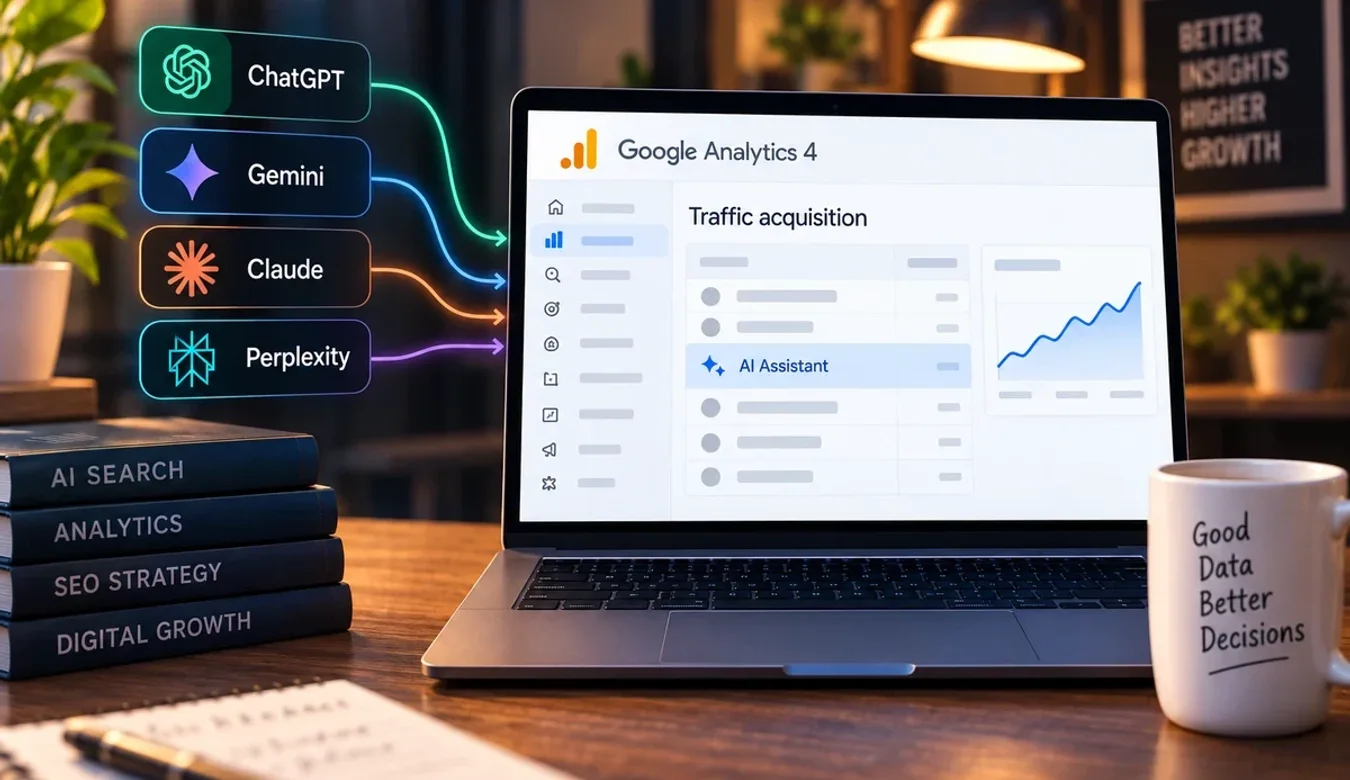
Quick answer: since 13 May 2026 you do not need a regex to see ChatGPT, Gemini, Copilot, Grok or Deepseek visits in GA4. Google now files them under a built-in AI Assistant channel with the medium set to "ai-assistant", so the custom channel group every guide still recommends is a second copy of a default. The catch is in Google's own definition: that channel "excludes Google's AI Overviews and AI Mode", which stay inside Organic Search. GA4 cannot separate an AI Overview click from any other Google click. Search Console counts the impressions, and the text-fragment trick only works when a fragment is present and only through the Performance API, because browsers strip it from the URL before your script runs. Every quotation below was read from Google's and web.dev's pages on 19 September 2026.
Where does AI traffic show up in GA4 now?
Open Reports, then Acquisition, then Traffic acquisition, and look at the Session default channel group column. Since May, AI-related visits land in three different rows, and two kinds never land at all. Knowing which is which is most of the job.
| Where the visitor came from | Channel GA4 assigns | Medium you will see | Can you isolate it? |
|---|---|---|---|
| A link clicked inside ChatGPT, Gemini, Copilot, Grok or Deepseek | AI Assistant | ai-assistant | Yes, by default, no setup |
| A link clicked inside an assistant Google has not added to its list | Referral (usually) | referral | Only with a custom channel group or a source filter |
| A click on a citation inside a Google AI Overview or AI Mode | Organic Search | organic | No; GA4 does not split it from other Google clicks |
| A person who read your page as an assistant's answer and did not click | Nowhere | none | No; nothing reached your tag |
| An assistant's own fetch of your page to build an answer | Nowhere | none | No; the fetcher does not run JavaScript |
Two of those rows are the whole argument of this article. The AI Assistant row means most of the manual work published in 2024 and 2025 is now redundant. The Organic Search row means the question most people actually type, how to track AI Overview traffic in GA4, does not have a GA4 answer.
Why an assistant reading your page never appears in analytics
GA4 is a JavaScript tag. It records a session when a browser loads your page, runs the tag, and sends a hit. The user-triggered fetchers that ChatGPT, Claude and Perplexity send to your site when someone asks them a question do not do that. They fetch the HTML, read it, and leave. No script runs, so no hit is sent, so the visit that produced the answer is invisible to GA4.
The only thing GA4 can ever see is the human who clicks a link inside the answer and arrives in a real browser. Everything before that click, the retrieval, the reading, the citation, happens on the impression side, and for Google's own AI features that side is Search Console, covered below. For the assistants there is no impression report at all, only the click. So when a guide promises to show you "how much traffic AI is sending", read it as "how many people clicked through from an assistant and ran my tag".
What the AI Assistant channel actually does
Google's default channel group page defines the new channel in one sentence: "AI Assistant is the channel by which users arrive at your site from sources like ChatGPT, Gemini, Deepseek, Copilot, or Grok. It excludes Google's AI Overviews and AI Mode." The rule underneath it reads: "The medium exactly matches 'ai-assistant'. The medium is set to 'ai-assistant' and the campaign is set to '(ai-assistant)' if the referrer matches a list of AI Assistants."
Three things follow from that wording, and each one changes how you report.
First, the matching happens on the referrer, before the medium is set. You do not tag anything, the assistant does not tag anything, and a plain link from chatgpt.com arrives already stamped as ai-assistant. That is why an old regex channel built on "source matches chatgpt|gemini|copilot" now finds nothing in the Referral bucket: the sessions moved out before your rule ran.
Second, Google names five assistants as examples and does not publish the full list. The definition says "sources like" and the rule says "a list of AI Assistants". A smaller assistant that is not on the list still lands in Referral with a normal referral medium. That is the one remaining reason to build a custom group, and it is narrower than the guides suggest.
Third, and this is the sentence to pin above the desk, the channel "excludes Google's AI Overviews and AI Mode". Google put its own AI features on the other side of the line on purpose. The Organic Search definition on the same page confirms it: Organic Search is "the channel by which users arrive at your site/app via non-ad links in organic-search results, including Google's AI Overviews and AI Mode".
The change was announced in the Google Analytics What's new page under an entry dated 13 May 2026, headed "New AI Assistant traffic measurement": "Google Analytics now provides a dedicated way to measure and analyze traffic originating from popular AI assistants." Nothing in that entry, or on the channel page, says the list will be published or that Google's own features will ever join it.
Do you still need a custom channel group?
For most sites, no. For a few, yes, for one specific reason. Before building one, read the limits on Google's custom channel groups page; they are tighter than people remember.
| Custom channel group rule | What Google's page says | What it means for AI reporting |
|---|---|---|
| Groups per property | Standard properties: 2 in addition to the default; 360 properties: 5 | One slot spent on AI is half of what you have |
| Channels per group | Up to 50 | Plenty; the limit that bites is groups, not channels |
| Rule order | "Traffic is included in the first channel whose definition it matches given the current order of channels in the group." | Put the narrow AI rule above the broad Referral rule or it never fires |
| History | "Custom channel groups can be applied to your reports retroactively." | You can build it today and read last quarter |
| Fields you can rule on | Campaign id, Campaign name, Default channel group, Manual ad content, Medium, Source, Source platform | Source and Default channel group are the two you need |
| Where it does not work | Not usable in Key events paths reports | Path analysis stays on the default group |
The honest use case is an assistant Google has not listed. Build a channel called something like "AI Assistant (other)" with a rule on Source matching the exact referrer domains you actually see in your Referral report, and place it above your Referral channel. Add a second channel that mirrors the default with the rule Default channel group exactly matches AI Assistant, so the two sit side by side. Because the group is retroactive, you can check whether the "other" channel ever collects anything. If it stays at zero for a quarter, delete it and give the slot back.
What you should not do is rebuild the whole assistant list by regex out of habit. Every session that matches Google's list has already left Referral with the medium rewritten to ai-assistant. A regex on Source still catches it, but you have spent one of two custom groups reproducing a default column, and the two will drift apart the day Google adds a name to its list and you do not.
Can you track AI Overview traffic in GA4?
No, not as a separate channel, and not by any rule you can write. This is the answer most articles on the query avoid, so here is exactly why.
A click on a citation inside an AI Overview arrives from google.com with a normal organic referrer. GA4 matches google.com against its search-site list and assigns Organic Search, exactly as it does for a blue-link click. There is no parameter, no distinct source and no medium that says the click came from the AI box rather than from position four. Google has said as much on the analytics side by writing AI Overviews and AI Mode into the Organic Search definition, and on the search side in its documentation on AI features, which states that sites appearing in AI Overviews and AI Mode "are included in the overall search traffic in Search Console" and are reported in the Performance report under the Web search type.
So the same click is invisible as an AI click in both of Google's tools. Search Console rolls it into Web. GA4 rolls it into Organic Search. Anyone showing you an "AI Overview traffic" percentage from GA4 has either used the text-fragment method below, which measures something narrower than it claims, or has estimated. Google's AI features are an impression-side story and the assistants are a click-side story; forcing both into one GA4 number produces a figure that is precise, comparable month to month, and wrong.
Work with me
Want one AI traffic report that separates assistants from Google's AI features?
Most GA4 properties I open still carry a hand-built regex channel that now duplicates a Google default, while nothing at all measures the AI Overview side. The result is a monthly report that overstates assistant referrals and says nothing about the impressions Search Console is already counting. Fixing that is a one-off job: check the default channel is doing its work, keep a custom group only for the assistants Google does not name, connect Search Console, and agree what the monthly view shows.
Send me the GA4 property and the Search Console domain and I will tell you what is already being measured correctly, what is double-counted, and whether a custom channel group is worth one of the two slots you get. If the honest answer is that the default report is enough for your site, that is what you will hear, and it costs nothing to ask.

Ashikur Rahman
SEO and AI Search Specialist
The contact links above go to me directly, so I earn from it if you hire me. Nothing else on this page is a paid placement.
The text-fragment method, and exactly where it breaks
Guides will tell you that AI Overview citations carry a highlight in the URL, the text fragment that starts with the characters colon tilde colon text equals, and that you can read it on page load and send it to GA4 as an event. Part of that is true, and the part that is not true is the part that matters.
It is true that AI Overview links often arrive with a text fragment, because Google uses fragments to scroll the visitor to the sentence it cited. Often is the right word. Not every citation carries one, so counting fragments counts a subset of AI Overview clicks of unknown size. It gives you a floor, not a total, and no percentage can be derived from it.
It is not true that your script can read the fragment from the URL. The web.dev article on text fragments explains that the fragment directive "is stripped from the URL during loading so that author scripts cannot directly interact with it." Many sites use the hash for routing, so "browsers strip out Text Fragments so as to not break those pages." The article adds that there is "an acknowledged need to expose Text Fragments links to pages, for example, for analytics purposes, but the proposed solution is not implemented yet."
The same article gives the one route that works today. The browser keeps the original navigation URL in its performance timeline, and that copy still has the hash:
new URL(performance.getEntries().find(({ type }) => type === 'navigate').name).hash;Run that on page load, test whether the returned hash contains the text directive, and if it does send a GA4 event, for example named ai_overview_fragment, with the page path as a parameter. Feature-detect with the read-only fragmentDirective property on document, which web.dev lists for the purpose. Support arrived in Chrome 89, Edge 89, Firefox 131 and Safari 18.2, so older Firefox and Safari visitors will never produce the event, which is one more reason the count is a floor. Report it as "sessions that arrived with a Google text fragment". That label is defensible. "AI Overview traffic" is not.
Search Console is the impression side
If the click cannot be separated, the impression can. Search Console's Generative AI report is where Google shows how often your pages appeared inside its AI features, and it is the only first-party source for that number. It does not join to GA4 line by line. One tool counts appearances, the other counts arrivals.
On this site the report showed 33,600 AI impressions in its window when I wrote it up in August, and the heading I chose then still holds: those were not 33,600 new visits. Question-format titles and comparisons carried the report, length was not the lever, and one page was picked up eleven days after publishing. The full reading is in the Search Console Generative AI report walkthrough. If you want the impression side to grow, the content pattern is in how to rank in AI Overviews, and the assistant side in how to get cited in ChatGPT.
Search Console never sees a ChatGPT click at all, and GA4 never sees an AI Overview impression, so the monthly picture is assembled from two reports that do not overlap. That is fine as long as nobody adds them together.
A monthly AI traffic report a client can actually read
Here is the view I put in front of clients. Each row names its source, and nothing on it claims more than the tool can measure.
| Line | Where it comes from | What it measures | What it does not measure |
|---|---|---|---|
| Assistant referrals | GA4, Session default channel group = AI Assistant | Sessions from assistants on Google's list | Assistants not on the list; people who read the answer and did not click |
| Other assistant referrals | GA4, custom channel group, exact source domains | Sessions from assistants you named yourself | Anything you have not named |
| Google AI impressions | Search Console, Generative AI report | How often pages appeared in AI Overviews and AI Mode | Clicks; which query produced which impression |
| Google clicks, total | Search Console, Performance, Web | All Google search clicks including AI features | The split between AI and blue links |
| Fragment arrivals | GA4 event from the Performance API snippet | Sessions that arrived with a Google text fragment | AI Overview clicks without a fragment; older browsers |
Two rules keep it honest. The rows are never summed. And every row carries the date it was pulled and the definition it relies on, because Google changed the assistant channel in May without changing anything you configured, and it can do so again. A report that says "AI Assistant channel, as defined by Google on 19 September 2026" survives the next change. A report that says "AI traffic" does not.
For the assistant rows, add the landing page dimension. Assistant referrals concentrate on the pages that answer a question in the first paragraph, and that list tells you which pages the assistants trust. It is the one place GA4 gives you something Search Console cannot.
What not to claim
Do not report a percentage of Google traffic that came from AI Overviews; no tool exposes it. Do not present the fragment count as AI Overview traffic; it is a floor of unknown height. Do not add Search Console impressions to GA4 sessions; one is an appearance and the other is an arrival. Do not describe the AI Assistant channel as complete; Google's own wording is "sources like" and "a list", and the list is not published. Do not carry a regex channel group forward from 2025 without checking what it now catches. And do not claim you can see how many people read your page inside an assistant without clicking, because nothing reached your tag.
One more thing to check before you trust any of it: whether the assistants can reach your pages in the first place. If a firewall or a robots rule is turning their fetchers away, the click side will be empty for a reason that has nothing to do with analytics. The bot list and what each token does is in should you block AI crawlers, and if you are weighing a paid tool to fill the impression gap on the assistant side, the prices are read at source in what AI visibility tools cost.
The short version
GA4 already tracks the assistant clicks. Since 13 May 2026, visits from ChatGPT, Gemini, Copilot, Grok and Deepseek land in a default AI Assistant channel with the medium ai-assistant, so the regex group in every older guide is now a duplicate. Spend a custom channel slot only on an assistant Google has not listed, and put that rule above Referral. Google's own AI features are the opposite case: the channel definition excludes AI Overviews and AI Mode, they stay inside Organic Search, and Search Console files them under Web, so no tool separates the click. Measure the impression side in the Generative AI report, treat the text-fragment count as a floor obtained through the Performance API and never as a total, and report four unblended numbers with their definitions and dates.
Frequently asked questions
How do I see ChatGPT traffic in Google Analytics 4?
Open Reports, then Acquisition, then Traffic acquisition, and read the Session default channel group column. Since 13 May 2026, sessions that arrive from ChatGPT, Gemini, Copilot, Grok or Deepseek are assigned to the AI Assistant channel automatically, with the medium set to ai-assistant. Add the landing page dimension to see which of your pages the assistants send people to. No tagging or configuration is needed for the assistants Google has listed.
Does the GA4 AI Assistant channel include Google AI Overviews?
No. Google's definition states the channel "excludes Google's AI Overviews and AI Mode". Those clicks arrive from google.com with an organic referrer and are assigned to Organic Search, and Google's Organic Search definition now names AI Overviews and AI Mode explicitly. There is no rule you can write in GA4 that separates an AI Overview click from a standard Google result click.
Do I still need a custom channel group for AI traffic in GA4?
Only if you receive visits from an assistant Google has not added to its list. Standard properties get two custom channel groups in total, so a regex that duplicates the default AI Assistant channel wastes half your allowance. Build a narrow channel on the exact referrer domains you see in Referral, place it above the Referral channel because the first matching rule wins, and delete it if it stays empty for a quarter.
Why does my old AI regex channel show fewer sessions than before?
Because the sessions moved. When a referrer matches Google's list of AI assistants, GA4 sets the medium to ai-assistant before any custom rule runs, and the session leaves the Referral bucket. A regex on Source still matches those sessions, but the channel is now a copy of a default. A rule written on Medium equals referral will have stopped matching entirely.
Can Google Analytics track AI Overview clicks with the text fragment in the URL?
Partly. AI Overview citations often carry a text fragment, but browsers strip that directive from the URL before your script runs, so location.hash is empty. The only working route is the original navigation URL kept in the performance timeline, which web.dev documents. You count only clicks that carried a fragment on browsers that support them, so the result is a floor, never a total or a percentage.
Where can I see how often my site appears in AI Overviews?
In Search Console, in the Generative AI report, which shows impressions from Google's AI features. Google's documentation says traffic from AI Overviews and AI Mode is included in overall search traffic in Search Console and reported under the Web search type, so the standard Performance report will not split it out. Read the Generative AI report for appearances and GA4 for arrivals, and do not add them together.
Why does an assistant that cited my page not show up in GA4 at all?
Because the assistant fetched your page with a server-side request that does not run JavaScript, so your GA4 tag never fired. GA4 records a session only when a real browser loads the page and executes the tag. Only a human who clicks through from the answer and lands in a browser can produce a session.
What medium and campaign values does GA4 use for AI assistant traffic?
Google's rule reads: "The medium is set to 'ai-assistant' and the campaign is set to '(ai-assistant)' if the referrer matches a list of AI Assistants." You can therefore filter on Session medium exactly matches ai-assistant in explorations, and you will see the reserved campaign label in the campaign dimension. Google does not publish the referrer list the rule matches against.
Is a custom channel group in GA4 retroactive?
Yes. Google's custom channel groups page states that they "can be applied to your reports retroactively", so a channel you define today will classify last quarter's sessions in your reports. That makes it safe to build a narrow assistant channel and test it against history before deciding whether it earns one of your two slots. The exception Google lists is that custom groups cannot be used in Key events paths reports.
How should I report AI traffic to a client each month?
Show four unblended lines with their source and date: assistant sessions from the GA4 AI Assistant channel, sessions from any custom assistant channel you built, AI impressions from the Search Console Generative AI report, and fragment arrivals from the Performance API event if you run it. Never sum the rows, never present a percentage of Google traffic as AI Overview traffic, and label every figure with the definition Google publishes for it.
Transparency: every channel definition, rule and limit in this article was read from the Google Analytics Help pages on the default channel group, custom channel groups and What's new, from Google Search Central's page on AI features, and from the web.dev article on text fragments, on 19 September 2026. Where Google publishes nothing, such as the list of assistants its rule matches, this article says so rather than substituting a guess. The Search Console figure is from this site's own report as published in August 2026; no GA4 AI figures for this site are published. I set up AI search reporting for clients myself, which is a commercial interest you should weigh. There are no affiliate or tracking links on this page.