

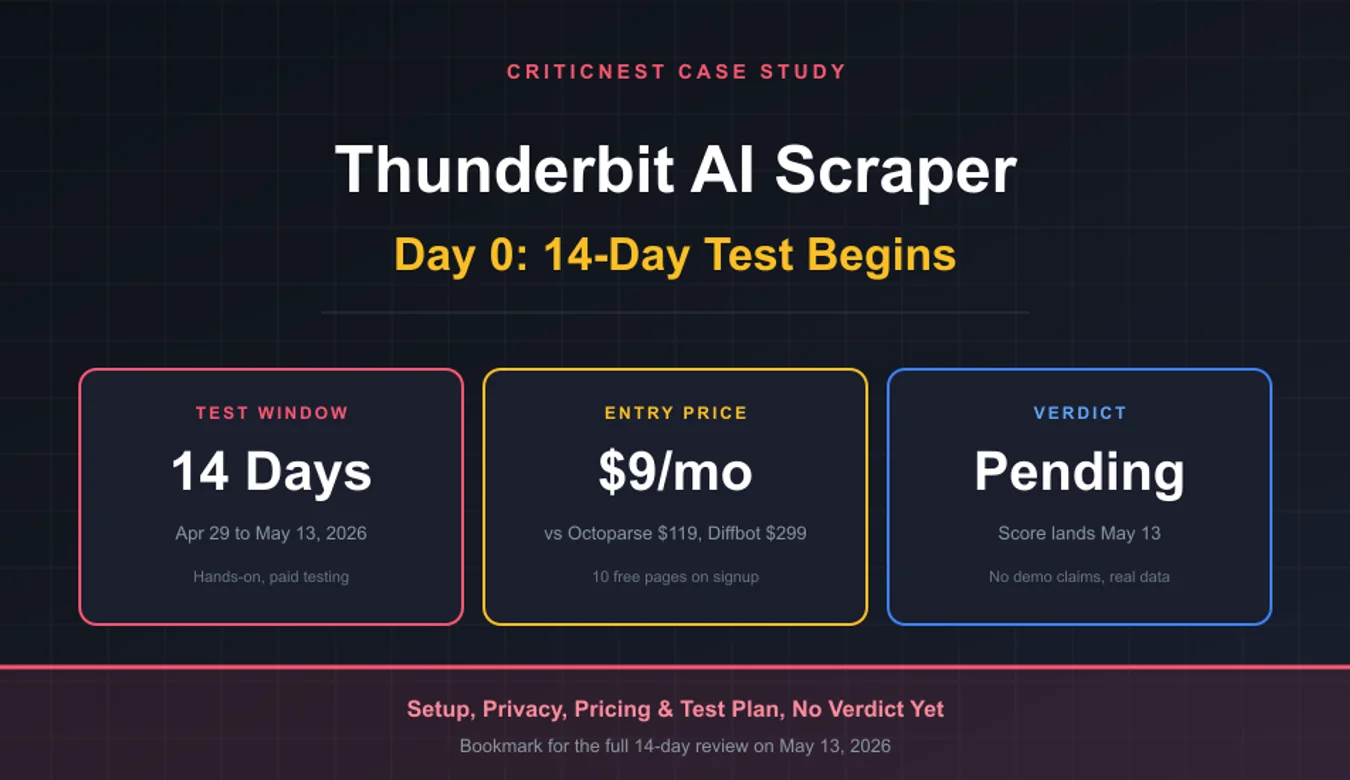
Thunderbit AI Web Scraper Review 2026: Is It Safe and Worth $9?

rel="sponsored" attribute. We earn a commission when readers sign up through these links at no extra cost to you. Thunderbit also provided a free Pro account for testing on April 29, 2026. The free account does not influence our verdict, our 14-day test results will. Read our testing methodology.
This is the first look at Thunderbit AI Web Scraper (affiliate link), the start of CriticNest’s 14-day hands-on test. The Pro account activated this morning, the Chrome extension is installed, and the testing clock starts now. Final verdict and full benchmarks against the best AI web scrapers in the category drop on May 13, 2026.
Why publish a first-look post before the verdict? Because every other Thunderbit review you will find online was written in under an hour by someone who never actually tested it past a single demo. CriticNest does the opposite. We document what we are testing, what we are watching for, and what red flags we flagged before the testing window even opens. If Thunderbit fails any of the criteria below, you will read about it on Day 14.
0
Why Thunderbit, And Why Now
AI web scrapers are eating the no-code scraping market. The old guard of page scraping software, Octoparse, ParseHub, and Web Scraper, all rely on visual point-and-click element selection that breaks the moment a site redesigns its DOM. The new wave of AI web scraper tools promises something different: feed the AI a URL, describe what you want in plain English, and get structured data back without ever touching a CSS selector or a screen scraping tool’s brittle XPath.
Thunderbit launched in 2024 and now claims over 100,000 users including Harvard, Adidas, BCG, Red Hat, and MIT. Their entry pricing is $9 per month, which is significantly below Browse AI ($48.75), Bardeen ($60), Octoparse ($119), and Diffbot ($299). That price gap is either a competitive moat or a sign that something is missing. The 14-day test will tell us which.
This is also a category we have been watching closely. Our recent piece on whether Airtable can handle 50,000 records showed that data tools sold on simplicity often fall apart at scale. Web scrapers are no different, the demo always works, the production workload is where the failure modes show up.

Setup Walkthrough: Installing The Thunderbit AI Web Scraper
Thunderbit ships as a Chrome extension, not a desktop app or a web dashboard. That single architectural choice shapes the entire product. Installation took under 90 seconds:
- Visit thunderbit.com (affiliate link), click “Add to Chrome”
- Approve the standard Chrome extension permissions (read and change website data, access tabs)
- Sign up with email and password (no Google OAuth required, which is unusual and a quiet privacy win)
- Verify email, log in through the extension popup
- Pin the Thunderbit icon to your Chrome toolbar
The Pro account upgrade was handled by Thunderbit’s affiliate manager after registration, manual upgrades like this are typical for partner programs. For regular users, Pro starts at $9 per month and unlocks Subpage Scraping, Scheduled Scraper, and higher monthly credit limits.
One immediate observation: Thunderbit asks for relatively minimal data at signup. Email, optional name and company, and timezone. No phone number, no credit card on the free tier, no required social login. Compared to Octoparse’s signup flow (which I tested last month for an unrelated piece), this is meaningfully less invasive.
What Thunderbit Says It Does
Before testing, here is what Thunderbit’s marketing claims, in plain terms. We will be checking each of these claims against real-world results over the next 14 days:
| Claim | Source | Test Status |
|---|---|---|
| “Scrape leads in just 2 clicks” | Homepage | Day 1 |
| AI auto-detects fields without CSS selectors | Homepage, blog | Day 1 to 3 |
| Subpage Scraping clicks into every detail page automatically | Pricing page | Day 4 to 6 |
| Pre-built templates for Amazon, eBay, Google Maps, Zillow | Homepage | Day 7 to 9 |
| Export to Google Sheets, Airtable, Notion, CSV | Homepage | Day 10 |
| Scheduled Scraper runs without supervision | Pro feature | Day 11 to 13 |
| Long-form content scraping (articles, transcripts) | Homepage | Day 14 |
The 14-day calendar above is locked. Every test is documented, every result will appear in Part 2 with screenshots, raw extraction outputs, and timing data.
Privacy and Terms Analysis
This is the section every other Thunderbit review skips. CriticNest reads the privacy policy and terms of service before installing any tool, because the legal terms tell you more about a vendor than the marketing page ever will. Here is what we found.
Data Collection: Mostly Reasonable, One Watchpoint
Thunderbit collects standard account data (email, password, optional name and company), automatic data (IP, browser type, OS, page views), and extension-specific data. The interesting clause is here: when you scrape a page, “the HTML content of the web page you choose to extract data from is sent to our servers for processing.”
That is unavoidable for any AI scraper, the AI lives on their servers, not in your browser. What matters is what happens after. The privacy policy states the HTML content is “not retained after processing is complete.” Extracted results and the source URL are logged for your account history. The actual page HTML is discarded.
Form auto-fill data stays local on your device and is never transmitted. That is the right architecture, this kind of data has no business leaving your machine.
Third-Party Sharing: Standard SaaS Stack
Thunderbit shares data with Google Gemini (their AI provider), cloud infrastructure vendors, Google Analytics, Amplitude (product analytics), Stripe (payments), and integrations you authorize like Google Sheets and Airtable. Nothing unusual, nothing concerning.
The explicit statement that they “do not sell, trade, or rent your Personal Information to third parties for their marketing purposes” is good. The explicit statement that they “do not use your data to develop, improve, or train generative AI” is better. Several competitors quietly reserve the right to train on your prompts.
Terms of Service: Standard Risks, Standard Protections
The terms put the burden of legal scraping squarely on the user. “Company provides the Scraping Services as a tool and does not provide legal advice regarding the legality of scraping.” That is the same language every scraper vendor uses, but it is worth repeating: if you scrape a site that prohibits it, the legal exposure is yours, not Thunderbit’s.
Other clauses worth flagging:
- Data ownership: Users retain ownership of all extracted data. AI-generated outputs also belong to the user, with the standard caveat that AI output may not qualify for IP protection in some jurisdictions.
- Account termination: Thunderbit can suspend or terminate accounts “at any time for any reason.” Users get 30 days to export data after termination before deletion.
- Refund policy: “Fees are generally non-refundable, except as required by applicable law.” Pro-rata refunds only apply when Thunderbit terminates without cause.
- Liability cap: Limited to amounts paid or $100, whichever is greater. Industry-standard for SaaS but worth knowing.
- Arbitration: Mandatory arbitration with class-action waiver, 30-day opt-out window from signup. Read this clause carefully if you are signing up on behalf of a company.
GDPR and CCPA: Compliant on Paper
EEA, UK, and Swiss users get full GDPR rights, access, correction, deletion, portability, restriction, and complaint to local authorities. California residents get full CCPA rights, with the standard “we do not sell personal information” disclosure. We will test the deletion request flow during week 2 and report timing in Part 2.
Pricing: Why $9 Is Suspicious And Why It Might Not Be
Thunderbit’s published entry tier sits at $9 per month. That is roughly an order of magnitude below Browse AI ($48.75/mo), Bardeen ($60/mo), Octoparse ($119/mo), and Diffbot ($299/mo). Pricing this aggressive almost always signals one of three things: a credit-based throttle that gates real usage behind expensive overages, a feature-limited tier that pushes you to a higher plan within a week, or a venture-funded growth play that subsidizes acquisition.
The pricing page lists Free, Starter, Pro, and Business tiers with a Web Scraper API tier for developers. Specific credit allocations and per-tier feature lists were not available in the page metadata, which is a small frustration but not a deal-breaker. We will document the actual usage limits during testing.
| Tool | Entry Price | Free Tier | Approach |
|---|---|---|---|
| Thunderbit | $9/mo | Yes (10 pages) | AI-first, Chrome extension |
| Browse AI | $48.75/mo | 50 credits/mo | No-code monitoring, batch |
| Bardeen AI | $60/mo | 100 credits/mo | Workflow automation, 130+ apps |
| Web Scraper | Free / $50/mo cloud | Local unlimited | Visual selector, browser-based |
| Octoparse | $119/mo | 10 tasks/mo | Auto-detect, cloud, IP rotation |
| Diffbot | $299/mo | No | API-first, knowledge graph, NLP |
Worth noting: Thunderbit, Browse AI, and Bardeen sit in roughly the same use-case bracket, AI-driven, no-code, designed for non-developers running small to medium scraping jobs. Octoparse and Diffbot target enterprise workloads, large datasets, IP rotation at scale, and regulated industries. Direct price comparison favors Thunderbit, but apples-to-apples capability comparison is what Part 2 will deliver.
The 14-Day Test Plan
Here is exactly what we are testing, in the order we are testing it. This calendar is locked, and any deviations will be documented in Part 2.
Week 1, Core Functionality
- Days 1 to 3: AI Suggest Fields on five sites of varying complexity (e-commerce category page, real estate listing, news article, directory, social media profile). Measure setup time and accuracy.
- Days 4 to 6: Subpage Scraping on a real Amazon search query and a Zillow neighborhood listing. Goal: extract 50+ records with full detail-page data.
- Day 7: Pre-built templates audit. Run every template Thunderbit ships, document which still work and which are broken.
Week 2, Edge Cases And Production Readiness
- Days 8 to 9: JavaScript-heavy sites (infinite scroll, dynamically loaded content, lazy-loaded images). This is where most scrapers break.
- Day 10: Export integrations test, Google Sheets, Airtable, Notion, CSV. Check formatting fidelity and column mapping.
- Days 11 to 13: Scheduled Scraper test, set up three recurring jobs and let them run unattended. Measure failure rate and notification quality.
- Day 14: Long-form content extraction, scrape three articles and one YouTube transcript. Compare output to ground truth.
What I Am Watching For
Every honest review needs a list of red flags before testing starts, otherwise you confirm whatever the marketing told you. Here is the watchlist:
- Credit consumption transparency: Does the extension show credit cost before each scrape, or only after? Hidden credit costs are the most common complaint with AI scrapers.
- Failure mode honesty: When a scrape fails, does the tool say “this site blocked us” or does it return partial garbage and call it success? Silent failures destroy data pipelines.
- JavaScript handling: Sites that load content via React or Vue often need actual browser rendering. Does Thunderbit render the page properly, or does it parse static HTML and miss everything?
- CAPTCHA behavior: Thunderbit’s terms prohibit bypassing CAPTCHAs. Does the extension respect this, or does it try to scrape anyway and fail silently?
- Rate limit respect: Aggressive scrapers get target sites blocked and burn through credits. Does Thunderbit throttle gracefully?
- Output cleanliness: AI-extracted data tends to invent fields that do not exist on the page. We will check for hallucinated columns and made-up values.
- Cancellation flow: Easy to sign up, hard to cancel, is the SaaS pattern we hate. We will test cancellation and document the steps.

Want To Test It Yourself?
Thunderbit’s free tier includes 10 free scraped pages, no credit card required. That is enough to run the same Day 1 tests we are running and form your own opinion before our final verdict lands.
If you decide to upgrade to Pro, the $9 entry tier is genuinely affordable compared to the rest of the AI scraper category.
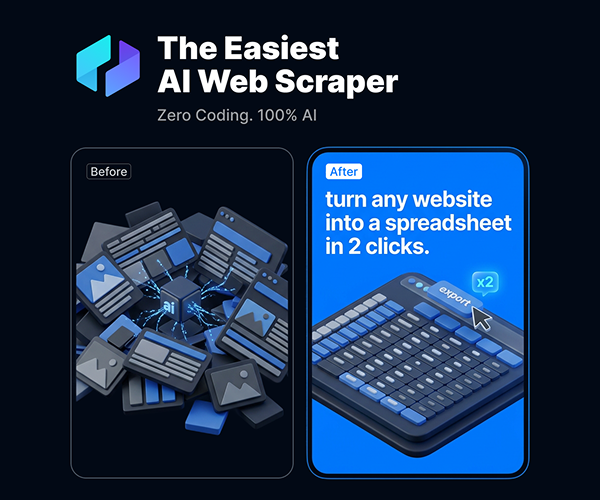
How Thunderbit Compares To Our Other AI Tool Reviews
Long-time CriticNest readers know our AI tools section runs hot. We have already published deep-dive comparisons on Windsurf vs Cursor, whether Cursor is worth $20 a month, and whether Notion AI is worth it. The pattern across all those reviews: vendors who price aggressively often deliver real value, but vendors who price aggressively while making bold AI claims sometimes deliver less than promised. The Thunderbit AI web scraper sits firmly in that “aggressive pricing plus bold AI claims” bracket, so the burden of proof is on the product.
Thunderbit checks both boxes, low price and bold AI claims. That is not a knock, it is the reason we wanted to test it. The 14-day window gives us enough surface area to find out which side of the line they land on.
Frequently Asked Questions
Is Thunderbit safe to install?
Yes, based on Day 0 review. Thunderbit is a Chrome extension distributed through the Chrome Web Store, so it passes Google’s standard security review. The privacy policy explicitly states scraped HTML is discarded after processing and is not used for AI training. We will validate outbound traffic during testing and update Part 2 if anything unexpected appears.
Does Thunderbit work without coding skills?
That is the central marketing claim. Thunderbit pitches itself as a no-code scraper for non-technical users, with AI Suggest Fields automatically detecting page structure. Whether the claim holds up under real workloads is exactly what the 14-day test will determine.
How much does Thunderbit cost?
Free tier includes 10 scraped pages with no credit card required. Paid plans start at $9 per month for the Starter tier, with Pro and Business tiers above that. Specific credit allocations vary by tier and were not fully disclosed on the public pricing page at time of writing. Yearly billing saves 20%.
Does Thunderbit train AI models on my scraped data?
No. Thunderbit’s privacy policy explicitly states: “We do not use your data to develop, improve, or train generative AI.” Scraped HTML is sent to their servers for AI processing using Google Gemini, then discarded after the extraction completes. Extracted results stay in your account.
Is web scraping legal?
It depends on what you scrape and where. Scraping publicly available data is generally legal in the US under the Ninth Circuit’s HiQ v LinkedIn ruling, but violating a site’s terms of service, bypassing authentication, or collecting personal data without lawful basis can create legal exposure. Thunderbit’s terms put this responsibility on the user, not the tool. When in doubt, consult an attorney for your specific use case.
Can Thunderbit handle JavaScript-rendered websites?
Thunderbit claims to handle dynamic content, infinite scroll, and lazy-loaded elements through its browser-based extension architecture. This is one of the specific claims being tested in week 2 of the 14-day plan. We will publish concrete results in Part 2.
Does Thunderbit have a free trial for paid features?
There is a free tier with limited credits, not a time-limited trial of paid features. Yearly subscriptions are non-refundable except as required by law. Pro features like Subpage Scraping and Scheduled Scraper require a paid subscription from day one.
Where does Thunderbit send my scraped data?
Thunderbit shares data with Google Gemini for AI processing, cloud infrastructure providers, Google Analytics and Amplitude for product analytics, Stripe for payments, and any integrations you authorize (Google Sheets, Airtable, Notion). The privacy policy is explicit that data is not sold or rented for marketing.
Is Thunderbit GDPR compliant?
Thunderbit publishes GDPR rights for EEA, UK, and Swiss users, including access, correction, deletion, portability, restriction, and the right to lodge complaints with local authorities. CCPA rights are also provided for California residents. We will test the deletion request flow during testing and report timing in Part 2.
When does the full Thunderbit review publish?
May 13, 2026. Part 2 will include the 1 to 10 score, real benchmark data from all 14 days of testing, head-to-head comparisons against Browse AI, Bardeen, Octoparse, and Diffbot, and a final recommendation. Bookmark this page or check back, we will link Part 2 from here when it goes live.
What Happens Next
Day 1 starts tomorrow. The first set of tests, AI Suggest Fields on five different site types, will determine whether Thunderbit’s “2 clicks” claim survives contact with real-world page complexity. Results land in Part 2 along with everything else from the 14-day window.
If you want to follow along in real time, the Thunderbit free tier gives you enough credits to run the same Day 1 tests. Sign up, install the extension, and run AI Suggest Fields on the kind of site you actually need to scrape, that is the only review that matters more than ours, the one you do yourself.
Try Thunderbit Before Our Verdict Lands
10 free scraped pages, no credit card, no commitment. Run the same setup walkthrough we documented above and form your own opinion alongside our 14-day testing.
Bookmark this page. The full 14-day review with the score, the failures, the wins, and the head-to-head data publishes May 13, 2026, at this same URL with a Part 2 link added at the top.