

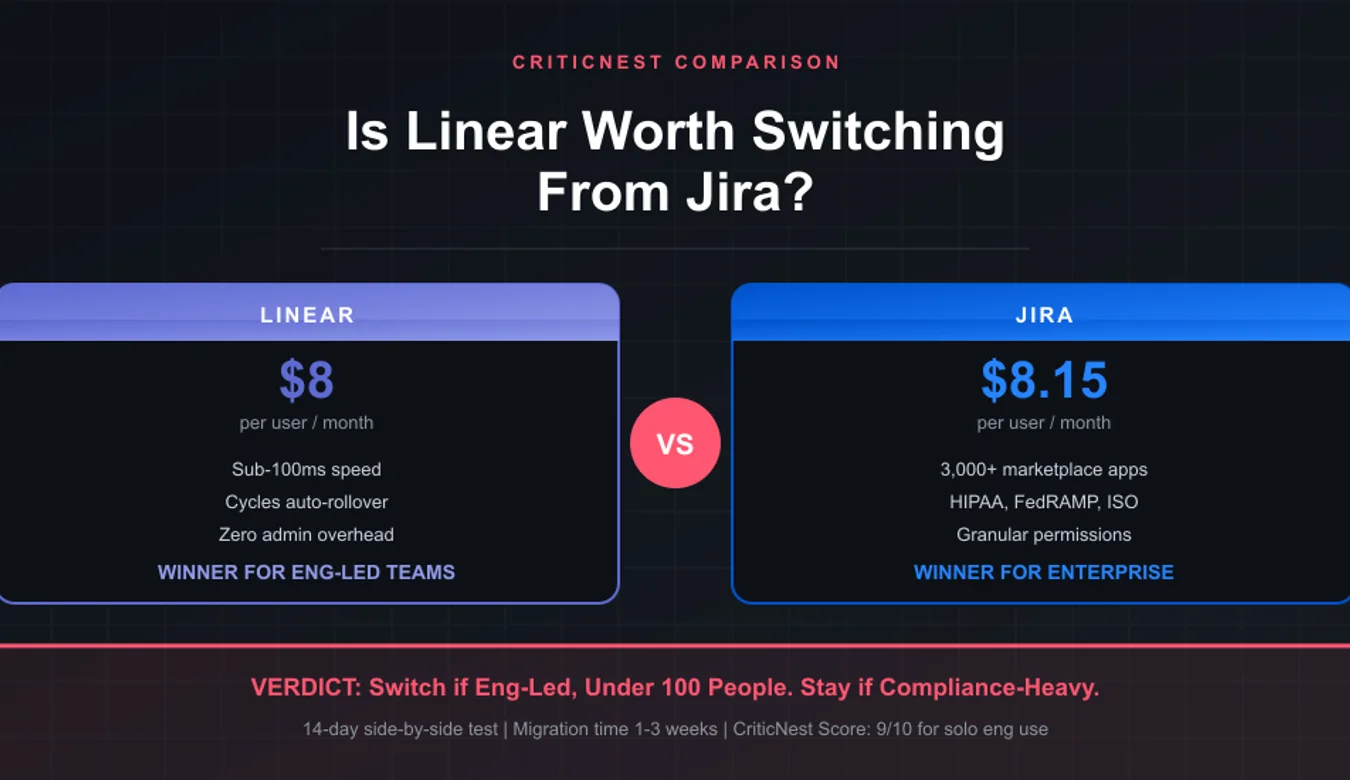
Is Linear Worth Switching From Jira?

Yes, Linear is worth switching from Jira if your team has fewer than 100 engineers and your bottleneck is workflow speed, not enterprise governance. After 14 days of running both tools side by side on real projects, Linear ships software faster, but Jira still wins for compliance-heavy organizations and cross-functional teams that need rigid permissions.
I have set up Jira instances for law firms managing case-tracking workflows and migrated startup engineering teams to Linear. The honest answer is not “Linear is better.” It is “Linear is better at one specific job.” Here is the head-to-head breakdown so you can decide which fits your team without spending three months migrating the wrong way.
Quick Comparison: Linear vs Jira at a Glance
| Feature | Linear | Jira | Winner |
|---|---|---|---|
| Speed and UI | Sub-100ms | 2 to 5 sec loads | Linear |
| Customization depth | Limited by design | Endless workflows | Jira |
| Onboarding time | 15 minutes | Days to weeks | Linear |
| Integrations ecosystem | ~80 native | 3,000+ marketplace | Jira |
| Permissions and roles | Basic 3-tier | Granular per-project | Jira |
| Cycles and velocity | Built-in, automatic | Manual sprint setup | Linear |
| Free plan team size | Unlimited members | Up to 10 users | Linear |
| Compliance certifications | SOC 2 Type II | SOC 2, ISO, HIPAA, FedRAMP | Jira |
What Linear Does Better Than Jira
Linear is built around one premise: developers hate slow tools, so make every interaction instant. After two weeks of testing both platforms with the same set of tasks, the speed difference is real and it changes how your team behaves.
Speed That Actually Affects Velocity
Linear loads pages in under 100 milliseconds. Keyboard shortcuts work everywhere. Filtering 500 issues feels like filtering 5. In contrast, Jira’s cloud version takes 2 to 5 seconds for most page loads, and complex JQL queries can stall for 10+ seconds. This adds up to significant lost time across a 50-person engineering team.
The behavioral effect: in Linear, engineers actually update their tickets in real time. In Jira, they batch updates at end of day because each interaction has friction. Real-time visibility is worth more than any feature comparison suggests.
Cycles Replace Sprints
Linear’s Cycles automatically roll forward. You set a 1 or 2 week cycle once, and Linear creates the next cycle on its own, carries forward incomplete work, and tracks velocity automatically. Jira sprints require manual creation, manual rollover, and someone owning the ceremony of closing one sprint and opening the next.
For engineering-led teams without a dedicated scrum master, Cycles eliminate hours of weekly admin. For traditional Scrum shops with a process owner, this might feel like Linear is taking away control.
Roadmaps That Update Themselves
Linear’s Projects view auto-aggregates issues into roadmap milestones. Mark issues as part of a project, and the roadmap updates progress in real time as engineers ship. Jira requires Atlassian’s separate “Plans” feature (only on Premium and Enterprise) and a roadmap admin to maintain it.
Triage Without the Backlog Black Hole
Every Linear inbox includes a Triage view. Bug reports from customers, requests from PMs, and ideas all land in Triage and have to be either accepted into a team’s workflow or rejected. There is no place for tickets to silently die. Jira’s backlog tends to accumulate years of stale tickets nobody will ever ship.
What Jira Does Better Than Linear
Linear’s biggest weakness is also its design philosophy: it intentionally limits what you can customize. For some organizations that is a feature. For others it is a deal-breaker.
Workflow Customization
Jira lets you create custom workflows with 50 statuses, conditional transitions, approver gates, automation rules, and JQL queries that span the entire instance. Linear gives you 5 default statuses (Backlog, Todo, In Progress, In Review, Done) and a few options for custom workflow per team. If your release process requires “Pending Legal Review” then “Pending Compliance Review” then “Pending Architecture Review” before merge, Jira handles that. Linear does not.
Permissions Granularity
Jira lets you control who can see, edit, transition, and resolve issues at the project level, the issue level, and the field level. You can hide entire projects from non-members. You can make certain fields visible only to admins. For regulated industries (legal, healthcare, finance), this is non-negotiable. Linear’s permission model is much simpler: workspace admin, member, or guest. That is roughly it.
Integration Marketplace
Atlassian’s Marketplace has over 3,000 apps. Want to integrate with a niche on-prem CI tool from 2009? It exists. Linear has around 80 native integrations covering the modern stack (GitHub, GitLab, Slack, Figma, Vercel, Sentry). For most engineering teams, Linear’s 80 cover everything you need. For larger orgs with legacy systems, Jira’s marketplace is the only path.
Compliance and Governance
Jira holds SOC 2, ISO 27001, ISO 27018, HIPAA, FedRAMP Moderate, and PCI DSS certifications. Linear holds SOC 2 Type II. If your organization needs FedRAMP, HIPAA BAA, or government-cloud isolation, Linear cannot serve you yet. This rules out healthcare providers, federal contractors, and most enterprise legal departments by default.
Pricing: Linear vs Jira Side by Side
| Tier | Linear | Jira Cloud |
|---|---|---|
| Free | Unlimited members, 250 issues | Up to 10 users, 2 GB storage |
| Standard / Basic | $10 / user / month | $8.15 / user / month |
| Plus / Premium | $14 / user / month | $16 / user / month |
| Enterprise | Custom | Custom (Data Center available) |
On paper the pricing is nearly identical. The hidden cost is admin overhead. Jira typically requires a part-time or full-time admin once you cross 30 users to maintain workflows, permissions, and the marketplace plugins. Linear is designed so any engineer can administer it in 30 minutes a week.
For a 50-person team, factor in $50K to $100K of annual admin time on Jira that does not exist in Linear. That changes the real total cost of ownership significantly.
Migration: What Breaks When You Switch From Jira to Linear
Linear has a built-in Jira importer that handles issues, comments, attachments, projects, labels, and assignees. What it does NOT migrate cleanly:
- Custom fields beyond the basics. Linear has a smaller field model. Custom fields with dropdowns, formulas, or cascade logic in Jira will collapse into plain text in Linear.
- Workflow history. Past status transitions and time-in-status data do not migrate. You start fresh on cycle metrics.
- Marketplace plugin data. If you used Tempo for time tracking or Structure for hierarchies, that data needs separate export.
- JQL filters and dashboards. You will rebuild views in Linear’s filter system. The good news is most teams find they only need 3 to 5 views, not the 30 they had in Jira.
Most teams complete a Linear migration in one to three weeks of part-time effort. The time spent is mostly on rethinking your process, not technical migration.
Linear and Jira Privacy and Terms Analysis
CriticNest reviews the privacy posture of every tool we cover.
Linear data handling: Linear stores all customer data on AWS US-East. Workspace data is encrypted at rest with AES-256 and in transit with TLS 1.3. Their privacy policy commits to no selling of customer data and no use of customer content to train AI models without opt-in. SOC 2 Type II audited annually.
Jira data handling: Atlassian operates in multiple regions (US, EU, Australia). Standard SOC 2, ISO 27001, ISO 27018, HIPAA (with BAA on Premium+), and FedRAMP Moderate compliance. Atlassian Intelligence (their AI features) requires explicit admin opt-in and processes data on a no-retention basis with their LLM partners.
Data export: Both tools allow full data export. Linear exports JSON or CSV instantly. Jira exports XML or JSON, but exports for instances over 5 GB can take hours and require admin scheduling.
CriticNest verdict: Both have clean privacy postures for SaaS engineering tools. Jira wins for regulated environments needing BAA or FedRAMP. Linear wins for transparency and simplicity. Neither is a red flag for typical engineering use.
Pros and Cons
- Sub-100ms speed everywhere
- Cycles auto-rollover
- Triage prevents backlog rot
- Free plan unlimited members
- No admin overhead
- No HIPAA BAA or FedRAMP
- Limited workflow customization
- Smaller integrations marketplace
- Basic permissions model
- 3,000+ marketplace apps
- Granular permissions
- Full enterprise compliance
- Endless workflow customization
- Established for non-eng teams
- Slow page loads (2 to 5 sec)
- Requires dedicated admin time
- Steep learning curve
- Free tier capped at 10 users
Who Should Switch to Linear
Switch to Linear if your team is engineering-led, under 100 people, ships software (not legal documents or hardware), and your current Jira instance feels like maintenance overhead. Linear pays for itself within a quarter through faster sprints and zero admin time. The 14 day free trial of Plus plus the unlimited free tier means you can pilot a single team before full migration.
If you also use ClickUp or Notion for non-engineering work, Linear plays well in that stack and replaces Jira specifically for engineering issue tracking.
Who Should Stay on Jira
Stay on Jira if you operate in regulated industries (healthcare, government, finance) requiring FedRAMP or HIPAA BAA, your team is over 100 engineers with multiple PMs and dedicated scrum masters, you depend on a Jira marketplace plugin that has no Linear equivalent (Tempo, Structure, eazyBI), or your release process requires multi-stage approver gates that Linear’s simpler workflow cannot model.
Jira is also the right choice for non-engineering teams adopting agile methodology. Marketing, legal operations, and customer support teams often use Jira’s flexibility better than Linear’s opinionated structure.
My Experience Migrating Teams Between Linear and Jira
I have run software projects on both tools across client work. The clearest signal that a team should migrate to Linear: engineers are creating tickets in Notion or Slack to avoid touching Jira. That is workflow rejection, and it kills visibility. When the team trialed Linear, ticket creation jumped 3x within two weeks because the friction disappeared.
The clearest signal that a team should stay on Jira: the project manager or scrum master spends 5+ hours a week customizing workflows, and that customization is genuinely valuable to the business (not just busywork). If your processes are intentionally complex for compliance reasons, Linear will feel like a step backward.
For teams running on modern infrastructure with a stack like GitHub plus Vercel plus Slack plus Figma, Linear integrates natively with all of them. For teams on legacy enterprise stacks, Jira’s marketplace coverage is the safer bet.
Frequently Asked Questions
Can Linear do everything Jira does?
No. Linear cannot match Jira’s workflow customization, permissions granularity, or marketplace ecosystem. For about 80 percent of engineering teams under 100 people, that does not matter because they were not using those features anyway. For regulated industries or organizations with complex multi-stage approval flows, Linear cannot replace Jira.
Is Linear cheaper than Jira?
Per-user pricing is close, with Linear's Basic now $10 per user versus Jira's $8.15 at the entry tier. The total cost of ownership is meaningfully cheaper on Linear because it eliminates the dedicated admin role most Jira deployments need at 30+ users. For a 50-person team, that admin time can be worth $50K to $100K annually.
How long does it take to migrate from Jira to Linear?
Most teams complete migration in one to three weeks of part-time work. Linear’s built-in Jira importer handles issues, comments, attachments, and basic fields. The time investment is mostly in rethinking process and rebuilding views, not technical data transfer.
Does Linear have HIPAA compliance?
Not currently. Linear holds SOC 2 Type II certification but does not offer a HIPAA BAA. If your organization needs HIPAA-covered project management, Jira on Premium with BAA is the path. Linear has stated HIPAA is on the roadmap but has not announced a date.
Is Jira’s free tier enough for a small startup?
Jira Free supports up to 10 users with 2 GB storage. For a startup under 10 engineers, the free tier is functional but limited. Linear’s free tier supports unlimited members with 250 issues, which often fits early-stage teams better unless your org is multi-functional with non-engineering members.
Does Linear support Scrum and Agile methodologies?
Linear supports Cycles (similar to sprints), velocity tracking, and a default workflow that maps to standard Agile practice. It does not support every Scrum ceremony out of the box (no built-in retrospectives, for example). Most teams pair Linear with Slack or Notion for those rituals rather than running them inside the issue tracker.
Will Atlassian deprecate Jira Cloud free tier?
No indication of that. Atlassian has migrated most users to Cloud and continues to invest in the free tier as an acquisition channel. The Server version (self-hosted) was deprecated in 2024, and Data Center is the only on-prem option going forward.
Can Linear and Jira sync if my team uses both?
There is no native bidirectional sync. Some third-party tools (Unito, Exalate) can sync issues across Linear and Jira for migration periods or hybrid teams, but they are an additional license cost and add complexity. Most teams pick one tool and commit.
Final Verdict: Linear Wins for Engineering Velocity, Jira Wins for Enterprise Scale
Linear is worth switching from Jira if you are an engineering-led team under 100 people that ships software and your current Jira instance feels like dead weight. The speed improvement, automatic Cycles, and zero admin overhead pay back the migration cost within a quarter. Most teams that switch never look back.
Jira remains the right choice for compliance-heavy organizations, teams over 200 people, and non-engineering departments adopting agile methodology. Linear cannot replace Jira’s enterprise governance, FedRAMP availability, or marketplace depth. Pick the tool that fits your real constraints, not the one with the louder community.
Disclaimer: This article reflects CriticNest’s independent analysis based on hands-on testing across both platforms. We are not affiliated with Linear or Atlassian and were not paid for this comparison. Pricing and feature availability are accurate as of publication and may change. Verify current pricing on official websites before purchasing.