Google Business Profile Video Verification: What Google Actually Requires
 By Ashikur Rahman17 min read
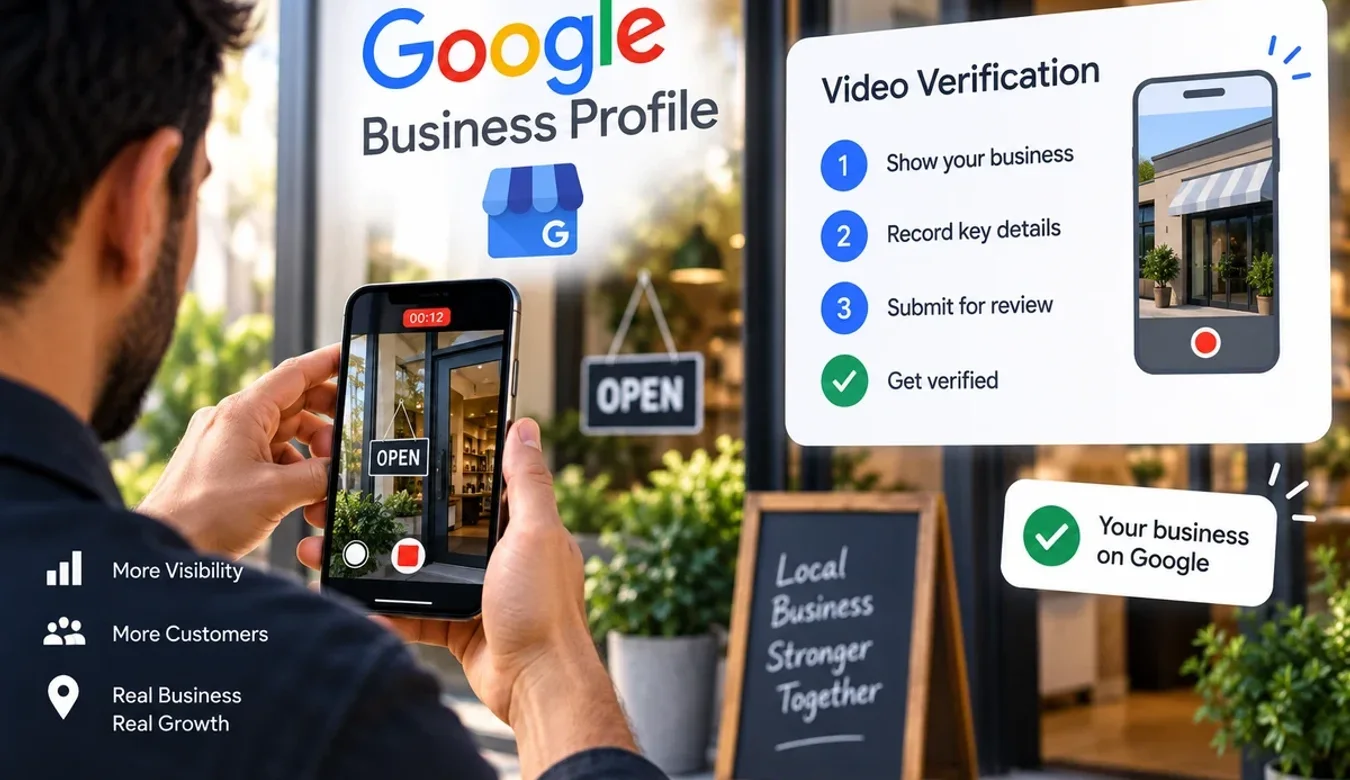
Quick answer: Google publishes one length rule for a Business Profile verification video, "At least 30 seconds long", one device rule, "Recorded and uploaded from a mobile device through your Business Profile", and one review window, "This process can take up to 5 business days." Everything else is a content list: show the location, show the business exists, show the name matching the profile, and show something only a person who runs the business could reach. The sixty-second and two-minute targets quoted in most guides appear nowhere on Google's page. You also cannot pick this method. Google's words are that "Verification methods are automatically determined by Google and can't be changed." Every quotation here was read from Google's help pages on 19 September 2026.
Why the guides disagree with each other, and with Google
Search for how long a verification video should be and you will get a different answer on every page. One says thirty to sixty seconds. Another says one to two minutes. A third warns you to keep it under five. They are all written with confidence, and they all cite each other, and none of them cites the only source that decides whether your profile goes live.
That source is a single help page, Verify your business with a video recording, and it is short. It gives a minimum length and no maximum. It gives a device rule and no resolution, format or file size. It gives a list of things to show and a list of things not to show. Then it tells you how long the review can take and what happens if you fail. That is the whole of what Google commits to, and the rest of this article is built on it and on the companion page, Verify your business on Google, which explains how the method is assigned.
Every extra rule a guide invents is a reason to re-record, and every real rule it leaves out is a rejection. A refused video means another recording, another review window of up to five business days, and a profile that stays invisible the whole time.
| Claim you will read | Where it comes from | What Google's page says |
|---|---|---|
| The video should be 30 to 60 seconds | Agency and reputation-tool guides, uncited | "At least 30 seconds long." No maximum given. |
| Aim for 1 to 2 minutes for quick approval | Other guides, uncited | Nothing. Only the 30-second minimum exists. |
| Keep it under 5 minutes or the upload fails | Troubleshooting articles | No maximum length, file size or format is published. |
| You can ask for a postcard instead | Forum advice | "Verification methods are automatically determined by Google and can't be changed." |
| Approval takes 24 to 48 hours | Guides quoting their own experience | "This process can take up to 5 business days." |
| Show your face so Google can see you are real | Guides, uncited | The video "must not include" "Other people's faces". Nothing requires yours. |
What Google requires you to show
Google splits the requirements by business type. A storefront or hybrid business, meaning one customers visit, has one list. A service-area business, meaning one that travels to customers and hides its address, has another. The two lists share the same logic: prove where you are, prove the business is real, prove you are allowed to speak for it. They differ in what counts as proof.
| Requirement | Storefront or hybrid business | Service-area business |
|---|---|---|
| Location | "Include street signs, building numbers, nearby businesses, or familiar places around your business." | Record "street signs, nearby landmarks, or other identifiers at your business address." |
| Proof the business exists | "Include your storefront, showroom, or business signage." "The name shown in your video must match the name on your Business Profile." | Show the professional tools and equipment used for the work. |
| Proof of management | "Record things only an employee can access, like opening a cash register, kitchen, storage room, or using a point-of-sale system." | "Record yourself performing a service or accessing business-only assets." |
| Length | "At least 30 seconds long." | "At least 30 seconds long." |
| Device | "Recorded and uploaded from a mobile device through your Business Profile." | Same. |
| Must not include | "Sensitive info like bank account, tax, or ID numbers. Private info about you or others. Other people's faces." | Same. |
| Review window | "This process can take up to 5 business days." | Same. |
Notice how specific Google is about management. It names the cash register, the kitchen, the storage room and the point-of-sale system. Those are examples, but they tell you what the reviewer wants: a moment a customer or a competitor with a phone could not have filmed. A walk to the counter proves you visited. Opening the till proves you work there.
In the service-area column the address still has to appear. Hiding it on the public profile does not remove it from verification. A plumber filming a stocked van, the ladder rack and then the street name at the registered address has covered the list. A plumber filming a laptop on a kitchen table has not.
The shot list, in the order Google lists it
Google does not say the footage has to be in this order. But the reviewer is checking against a list, so recording in the same order removes the chance that one requirement gets forgotten while you concentrate on another. One continuous recording, phone in hand, no editing.
Storefront and hybrid businesses
- Start outside, wide. The street sign or the building number, then pan to a neighbouring business or a landmark anyone could recognise. This is the "street signs, building numbers, nearby businesses, or familiar places" line.
- Turn to your own frontage. Hold on the signage long enough for the name to be readable. The name on that sign is the name Google will compare with your profile. If they do not match, stop here and read the next section before you record anything else.
- Walk in. The showroom, the reception, the shop floor. You are now covering "storefront, showroom, or business signage" from the inside.
- Do something a customer cannot. Open the till. Walk into the kitchen or the stock room. Log into the point-of-sale screen, keeping any customer or card data out of frame. This is the management proof, and it is the easiest requirement to forget.
- Check the clock. Thirty seconds is the floor. There is no ceiling, so if covering the list takes ninety seconds, take ninety seconds.
Service-area businesses
- Start at the registered address. The street sign, a landmark, the house number if it is a home base. Google's words are "street signs, nearby landmarks, or other identifiers at your business address."
- Show the tools. The van interior, the equipment, the branded uniform, the stock. This is the SAB equivalent of a storefront.
- Prove management. Perform part of a service on camera, or open something only the business owns: the locked van, the tool store, the job-management app under your business name. Google's phrase is "performing a service or accessing business-only assets."
- Keep customers and their homes out of it. A job site works only if no other person's face and no private detail appears. Your own yard or a neutral location is safer.
The three things that must not appear
Google's exclusion list is short and it is absolute: "Sensitive info like bank account, tax, or ID numbers. Private info about you or others. Other people's faces." Each one is easier to break by accident than it sounds.
Bank, tax and ID numbers turn up on the paperwork you are tempted to hold up as proof. A licence on the wall is fine if the registration number cannot be read; a tax certificate filmed close enough to read is exactly what the rule forbids. Private information about others usually means customer details: the appointment book, a delivery label, the CRM on a screen. Angle screens away first. Other people's faces is the one that catches busy premises, so record before opening or after closing. Nothing requires your own face or a narration. Silence and steady framing are fine.
Work with me
Recording the verification video this week? Let me check the shot list first.
A rejected video usually fails on something that was visible before anyone pressed record: a trading name on the sign that does not match the profile, a service-area business filming a home office instead of the tools, a walkthrough that never shows anything only staff can reach. I read the profile against Google's published requirements and give you a shot list in the order Google wants it, so the first upload is the one that goes through.
Send me the profile link and a photo of your signage or your van. I will tell you what to film, what to keep out of frame, and whether the name on the profile needs correcting before you bother recording anything. If the profile has a problem the video cannot solve, I will say that instead of selling you a shot list, and looking costs you nothing.

Ashikur Rahman
SEO and AI Search Specialist
The contact links above go to me directly, so I earn from it if you hire me. Nothing else on this page is a paid placement.
Why the name on the sign decides more than the video
One sentence on Google's page does more work than the rest of it combined: "The name shown in your video must match the name on your Business Profile." It reads like a formality. It is the reason a large share of verification videos fail, and it is the same rule that later takes verified profiles offline.
Practices are the worst affected because their names drift. The sign on the door says one thing, the company registration says another, the practitioner's licence says a third, and the profile was typed in by whoever set it up with a keyword added for luck. "Smile Dental" on the fascia and "Smile Dental Clinic and Implant Centre" on the profile is a mismatch. So is "Dr A. Rahman, Orthodontist" against "Rahman Orthodontics". Google's reviewer is not asked to judge whether two names probably belong to the same business. They are asked whether the name in the footage matches the name on the profile.
Fix the profile before you record, not the sign. Set the profile name to what the signage and the registration actually say, remove any added descriptors, and only then film. This matters twice over, because the same matching rule governs what happens if the profile is ever taken down later. When I wrote about what Google's own page says about a profile that has been taken offline, the evidence Google accepts, business registration, licence, tax certificates, utility bills, all has to carry a name and address that match the profile exactly, and the only timeline Google publishes in that process is a 60-minute window to upload it. A profile that was verified on a mismatched name is carrying the problem forward to a worse moment.
What a rejection actually tells you
Google's page says that if the video is refused you will be told it "didn't meet all the requirements", with the specific reasons shared, and that you can record and submit again. That is more useful than it sounds, because the reasons map straight onto the requirement list above. There are only a handful of ways to fail.
| Reason given | What was probably missing | Fix before re-recording |
|---|---|---|
| Location could not be confirmed | No street sign, number or landmark; footage started indoors | Open outside, hold on the sign and the number, pan to a neighbour |
| Business could not be confirmed | No signage, or signage that does not match the profile name | Correct the profile name to the sign, then film the sign legibly |
| Management could not be confirmed | A walkthrough with nothing staff-only in it | Open the till, the stock room, the POS, or perform the service |
| Video did not meet requirements | Under 30 seconds, edited, or not recorded in the profile flow | One continuous take from the phone, through the Business Profile |
| Content not allowed | A face, a document with numbers, a customer record | Clear the premises, angle screens away, film documents from distance |
Two things a rejection does not tell you. It does not give a count of how many attempts you have, because Google publishes none. And it does not give an acceptance rate, because Google publishes none of those either. Any article quoting one is quoting itself. The practical rule is to treat the second recording as if it were the last, and to change everything the notice named rather than one thing.
Live video call: the other video method
The video recording is not the only camera-based route. Google's list of methods on the verification page runs: phone or text, email, live video call, mail, video recording, Google Search Console, and bulk verification for large multi-location accounts. The live video call is a scheduled session in which a Google representative watches you show the same things, in real time, instead of reviewing an upload.
The content requirements do not change. You will still be asked for the location, the signage, and access to something only the business controls. What changes is the pacing: a representative can ask you to move the camera, so a missed shot gets corrected on the spot instead of costing you a rejection. If you are offered both, the call is the lower-risk route for a premises with awkward signage, and the recording is the more convenient one for a service-area business that would otherwise be filming alone at the registered address.
You cannot request either. The methods available depend on "your business type, public info, region, or business hours", and are "automatically determined by Google and can't be changed."
When no video option appears at all
Some owners were never offered video and wanted it; some were offered only video and wanted anything else. Both are asking Google to override a decision its page says it does not override. What you can do is change the inputs Google says it uses. Business type is one: a service-area business and a storefront are treated differently, so a profile set to the wrong type may be shown the wrong menu. Public information is another: a business with a registered company, a matching website and consistent citations gives Google more to work with than a profile created last week with a mobile number and nothing else. If the only method shown is one you genuinely cannot complete, pause, get the public footprint consistent, and return. Do not create a second profile to try again; duplicate profiles are a separate problem that ends worse.
Google does verify some profiles instantly, its page says, through Search Console or bulk verification. Search Console verification requires the profile's website to be a property you already own in Search Console under the same Google account. For a practice with a real website that is the quietest route through, when it is offered.
Why service-area businesses meet the camera more often
Trades and mobile services report being asked for video more than shops are. Google does not say why; its page does not publish the logic that assigns methods, and this article will not invent one. What the requirements themselves imply is that a storefront has a public, photographable presence other data can corroborate, while a service-area business has hidden its address by design. The SAB list, street identifiers plus tools plus you performing the work, asks for exactly the evidence a reviewer cannot get from outside.
If you run a service-area business, the other rules Google publishes for that profile type interact with verification. The address must be hidden, service areas are capped, and the profile name may not carry a keyword. I set those out in Google's published rules for a service-area business, and the name rule there is the same name rule that the video reviewer applies. Get them right in one pass.
What verification does and does not do for you
A verified profile can be edited, can post, can respond to reviews and appears with the badge. It does not rank by itself. Verification is a precondition to everything in how a business gets found on Google Maps, not a substitute for any of it. New profiles also tend to arrive with a review problem of their own kind: reviews collected before verification, or during a period when Google was still checking the profile, can sit unpublished for a while. If that is what you are seeing, the reasons Google gives for missing reviews are the place to look before assuming anything is wrong. And if a review that is showing is the problem, reporting and appealing a review is a different process with its own single-attempt rule.
The short version
Google's requirements for a verification video fit on an index card. At least 30 seconds. Recorded and uploaded from a phone through the Business Profile. Show the street, show the business, show the name matching the profile, show something only staff can reach. Keep out faces, ID numbers and private details. Wait up to 5 business days. If it fails, the notice names the missing item and you record again. Nothing about 60 seconds, two minutes or five, nothing about acceptance rates, and no way to choose a different method. The one decision that is yours before you press record is whether the name on the profile matches the name on the sign. Fix that first and the rest is a walk around your own premises with a phone.
Frequently asked questions
How long should a Google Business Profile verification video be?
Google's help page gives one rule: "At least 30 seconds long." It publishes no maximum. If covering the location, the signage, and a staff-only area takes ninety seconds, record ninety seconds. Guides quoting a range such as one to two minutes are describing their own preference, not a Google requirement, and cutting footage to hit a made-up ceiling is how the management proof gets dropped.
What do I need to show in the verification video?
For a storefront: street signs or building numbers and nearby businesses, your storefront or signage with the name matching the profile, and proof of management such as opening a cash register, kitchen or storage room, or using a point-of-sale system. For a service-area business: street signs or landmarks at your registered address, your professional tools and equipment, and yourself performing a service or accessing business-only assets.
Why was my Google verification video rejected?
Google tells you the video "didn't meet all the requirements" and shares the specific reasons. The common ones are footage that never shows the street or number, signage that does not match the profile name, a walkthrough with nothing only staff could access, a clip under 30 seconds or one that was edited, or content Google forbids such as a face or a document with ID or tax numbers. Fix every named reason before re-recording, not just one.
Can I choose video verification, or ask for a postcard instead?
No. Google's verification page says "Verification methods are automatically determined by Google and can't be changed." The methods offered depend on your business type, public information, region and business hours. You can improve those inputs, for example by fixing the business type or making the public footprint consistent, but you cannot request a specific method.
How long does Google take to review a verification video?
Google's page says "This process can take up to 5 business days." That is the only review window it publishes for the video method. Some profiles are verified instantly through Google Search Console or bulk verification, but the video route is a human or automated review that can use the full five business days.
Does the name in my video have to match my Business Profile exactly?
Yes. Google's requirement reads "The name shown in your video must match the name on your Business Profile." A sign reading a shorter or longer version of the name than the profile shows is a mismatch. Correct the profile to the name on your signage and registration before recording, because the same matching rule is used later if the profile is ever taken offline and you have to prove it is yours.
Can I record the verification video on my computer and upload it?
No. Google requires the video to be "Recorded and uploaded from a mobile device through your Business Profile." The recording is made inside the verification flow on your phone, not exported from a camera and attached later. That also rules out editing: the flow captures one continuous take.
What must not be in a Google verification video?
Google lists three exclusions: "Sensitive info like bank account, tax, or ID numbers. Private info about you or others. Other people's faces." In practice that means filming documents from far enough away that numbers cannot be read, turning screens with customer data away from the camera, and recording when colleagues and customers are not in the room.
What is the difference between video verification and a live video call?
Both are camera-based methods on Google's list and both ask for the same evidence: location, proof the business exists, and proof you manage it. The recording is a one-take upload reviewed afterwards, in up to 5 business days. The live call is a scheduled session where a Google representative watches in real time and can ask you to show something again, so a missed shot is corrected on the spot rather than becoming a rejection.
Do service-area businesses have different video requirements?
Yes. Instead of a storefront, Google asks a service-area business to record street signs or landmarks at the registered address, to show the professional tools and equipment used for the work, and to prove management by performing a service or accessing business-only assets such as a locked van or a tool store. The address stays hidden on the public profile, but it still has to appear in the verification footage.
Transparency: every requirement, quotation and process step in this article was read from Google Business Profile Help, "Verify your business with a video recording" and "Verify your business on Google", on 19 September 2026. Where Google publishes nothing, such as a maximum length, an acceptance rate or the logic that assigns a verification method, this article says so rather than substituting an estimate. I set up and repair Business Profiles for a living, which is a commercial interest you should weigh when reading the recommendations above. There are no affiliate or tracking links on this page.